


 View Profile
 View Forum Posts
 Private Message


Hello,
This is my first post here so my apologies if I'm doing anything wrong. I'm trying to de-ghost and de-logo a DVD, and I'm having trouble removing the ghosting with the filters in Hybrid, as well as getting InpaintDelogo to work. I only really have experience with Hybrid, so any help would be appreciated.
Attached are screenshots, the logo I wanna remove is in the top right and is static, and the ghosting is more apparent in in farther shots usually.
Hailey Carol
+ Reply to Thread
Results 1 to 12 of 12
-
-
You need to have experience with AviSynth, what GUI tool is in use is not important. First you need to install all requirements mentioned there: https://github.com/Purfview/InpaintDelogoOriginally Posted by tapiocattundra

-
got a sample of the source you can share?
users currently on my ignore list: deadrats, Stears555, marcorocchini -
Hope Google Drive is okay, file is about a gigabyte: https://drive.google.com/file/d/1IfcfI1gBSIKOv9d2gzpfeZ9CpNUGT0fC/view?usp=sharingOriginally Posted by Selur
I've tried Avisynth before and generally I can't seem to wrap my head around it for some reason, a GUI does help a lot but I do recognize there's some limitations with them. -
That's a reencode, DVD content should be MPEG-2 not AVC => sample is useless.
(Also: I only see some motion blur and blending between scene changes, potentially due to wrong 'deinterlacing',..)users currently on my ignore list: deadrats, Stears555, marcorocchini -
Getting back to this project after a lot of life happening, here's the original file without any encoding, only compiled with MakeMKV (taken from a Japanese bootleg DVD, I've done no editing): https://drive.google.com/file/d/1L36k9qMuikrQYwiGR3vXTxri-rkQ3slm/view?usp=drive_link
Let me know if this helps at all
-
When using Hybrid, if you have a NVIDIA cards, you could try proPainter (which is part of the torch-addon) for the delogo.
It's slow but seems to work fine
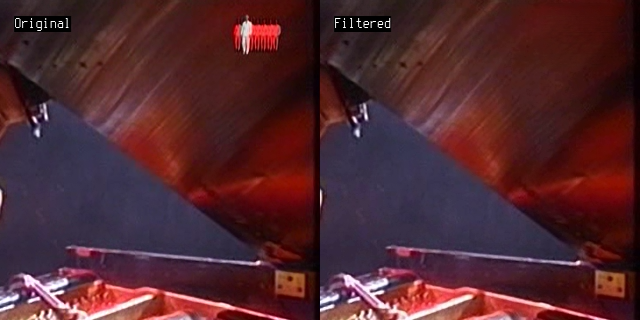
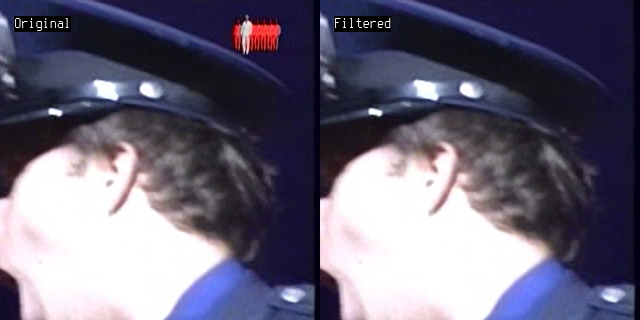
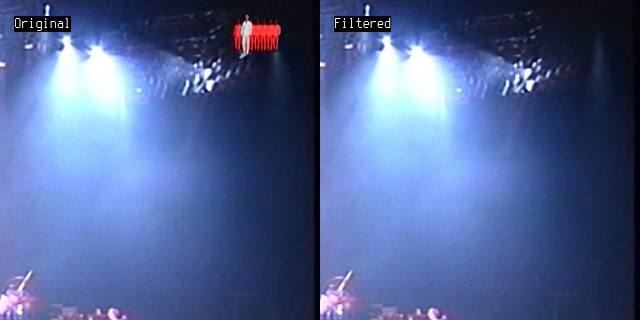
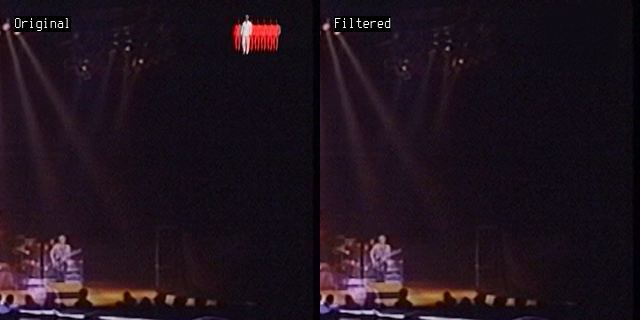
Cu Selur
Ps.: content isn't interlaced, but field shifted, so use TFM instead of a deinterlacer. (I did not notice any ghosting)Last edited by Selur; 9th Jul 2026 at 14:00.
users currently on my ignore list: deadrats, Stears555, marcorocchini -
For ghost removal use Overlay() to subtract a blurred and horizontally shifted copy of the main image.
-
For logo removal, I have used vs-propainter since it allows filtering only a region around the logo. It worked very well but it is a bit slow. It also requires an Nvidia graphics card. I used an RTX 4070. Instructions on how I installed and used vs-propainter can be found in the forum post below:
https://forum.videohelp.com/threads/411732-Removing-Logo-Text-From-Videos/page2#post2789632 -
Thank you all! The logo removal looks great (and I do have a NVIDIA card), I'll be sure to try it out. For the ghosting, it's hard to explain exactly what I mean but it's almost like a ghost/reflection of the image in some shots, not sure if that's intentional.
-
Ghost removal:
Frame 71256, before and after:Code:LWLibavVideoSource("Freaking Out.mkv", cache=false, prefer_hw=2) TFM(pp=0) Overlay(last, last.BilinearResize(width/32,height).Spline36Resize(width, height).Crop(0,0,-36,-0).AddBorders(36,0,0,0), mode="subtract", opacity=0.08)
[Attachment 93004 - Click to enlarge] -
Ah, applying retinex I can see what you mean.
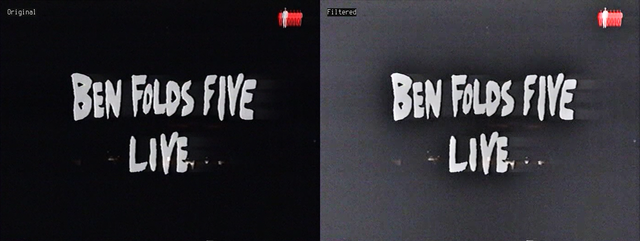 users currently on my ignore list: deadrats, Stears555, marcorocchini
 Quote
Quote
 Visit Homepage
