


 View Profile
 View Forum Posts
 Private Message


Hey everyone, I’m looking to work on a project that combines different framing versions of a film shot in Super 35mm—specifically, a film that exists in both a widescreen (2.39:1) version and a fullscreen (4:3) version. Other fans have previously combined these by filling the corner gaps with a blur effect; while not perfect, it’s the closest approximation to a true "open matte" presentation. Unfortunately, that existing project is based on the theatrical cut, and I want to create a version that includes the additional scenes from the director’s cut.
I’ve managed to download a 4:3 source via torrent that contains these extra scenes. However, since this source comes from a LaserDisc, its quality is quite low compared to the 1080p widescreen source I have. My goal is to see if I can bring the quality of the LaserDisc footage closer to that of the 1080p widescreen version, so that when I combine the two, the framing shows more of the image while ensuring the visual quality doesn't look too jarringly different.
I’m new to AviSynth—could anyone recommend a script for color calibration, denoising, and fine-detail enhancement that might help bring the quality of this file at least 30–40% closer to the 1080p source?
I’ve attached the 4:3 source I’d like to restore, along with an example file.
+ Reply to Thread
Results 1 to 8 of 8
-
-
short: I doubt you will get anything in that range with your current source.I’m new to AviSynth—could anyone recommend a script for color calibration, denoising, and fine-detail enhancement that might help bring the quality of this file at least 30–40% closer to the 1080p source?
long:
For the colors matching in Avisynth:
https://github.com/introspected/AutoOverlay
https://github.com/Reel-Deal/AviSynth-ColourLike
https://forum.doom9.org/showthread.php?t=173695
Starting from a highly compressed degraded (blocking, ghosting,...) encode of a DVD not the DVD source itself, there are not much fine details to work with,...
Throwing some filters (Retinex, DetailSharpen and CAS) at it with way too high values for real usage, but to see what is there:

=>
1. imho you are actually looking for detail invention not enhancement:
I doubt that you will get far with conventional filtering, which can help with "color calibration, denoising, and fine-detail enhancement", but isn't really suited for detail invention. You probably will need machine learning stuff, maybe even drop Avisynth.
About filling the gaps, one could use something like outpainting, which is machine learning / diffusion territory.
(both is really slow unless your hardware is monstrous)
2. Even with diffusion based models, you would need to get a better source and probably first do some pre-processing deblocking, proper ivtc/deinterlacing, denoising before using machine learning / diffusion based stuff and afterwards do color grading.
=> I doubt you will get anywhere, I would call 'acceptable', with your current (pirated) source.
The normal directors cut DVD does not have the ghosting and doesn't look that bad: (boosted the same way)

and thus provides a way better source to start out with. (I know that this is a 16:9 version, just wanted to show that the DVD source is better suited than a (pirated) high compressed source in regard of existing details,...)
Cu Selur
Ps.: wasn't there a directors cut of T2 on Blu-ray?Last edited by Selur; 19th Nov 2026 at 02:27.
users currently on my ignore list: deadrats, Stears555, marcorocchini -
Unfortunately, I cannot find a better source that features this fullscreen aspect ratio along with the director’s added scenes.Originally Posted by Selur

There was, in fact, a Blu-ray release that included the additional scenes, but it was presented in a cropped widescreen format, as shown in the second attached example.
But I appreciate the attempt -
Just for my amusement I created a small clip which does a quick alignment, to really see what parts of the two clip overlap.
(also attached the script I used to create this overlay for those who are curious)users currently on my ignore list: deadrats, Stears555, marcorocchini -
Since it was bugging me, I tweaked the matching function.
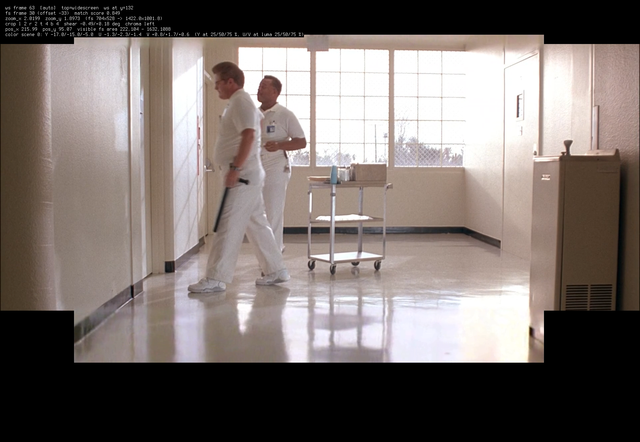
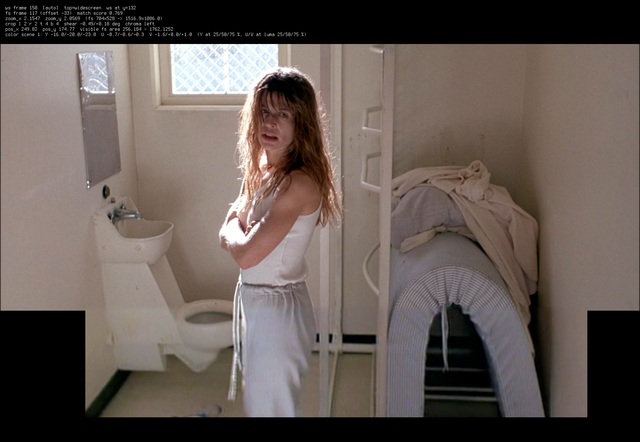
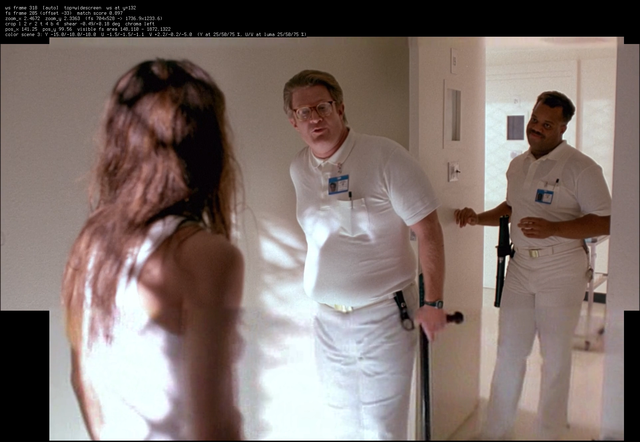
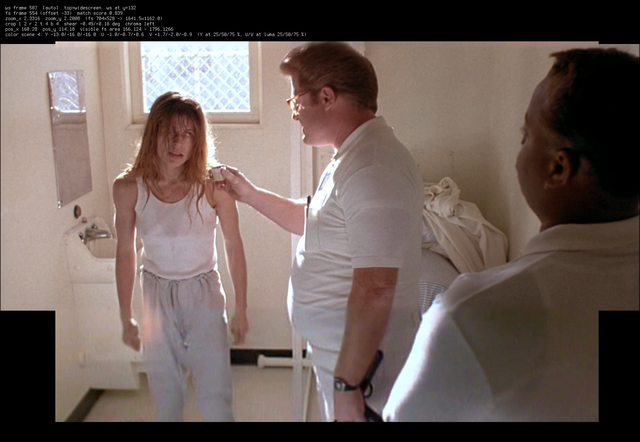
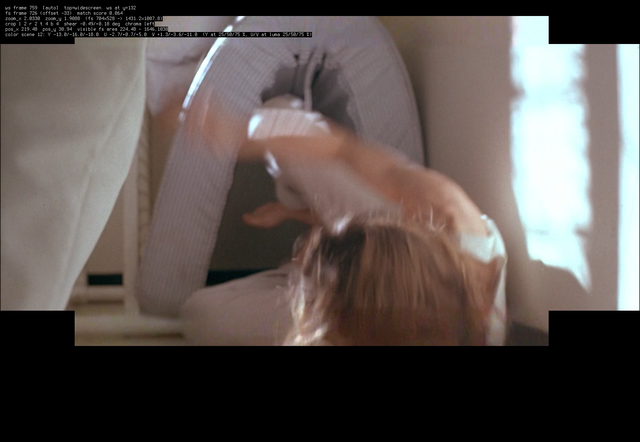
Cu Selurusers currently on my ignore list: deadrats, Stears555, marcorocchini -
Since the cropping (and/or pan-and-scan) from open-matte to 16:9 or 4:3 is done on a scene-by-scene basis, you'll need to basically re-edit the entire movie. An extraordinary effort for little practical benefit.
-
Wow, this is exactly what I wanted.Originally Posted by Selur
I just didn’t catch which software you used to frame each scene—is that done automatically?
I’m quite new to editing and am trying to combine videos using Vegas, but it’s really complicated.
-
I used Vapoursynth and the scripts I attached before. (the README.md should explain how it works)
Assuming you don't use Vapoursynth, I vibe-coded a small gui and packaged it with a portable Python, Vapoursynth and FFmpeg for preview.- Download OpenMatteS.7z
- extract it into a folder
- starting the OpenMatte.bat should start the gui
- set out input and output files.
- press the 'Analyze'-button
- press the 'Preview'-button to preview the output
- press the 'Encode ProRes'-button to create an output file you can open in Vegas
It should offer all the options the openmatte.py script offers plus some settings for encoding.
Cu Selur
Ps.: Download is so large since it include a portable Python, Vapoursynth and ffmpeg.users currently on my ignore list: deadrats, Stears555, marcorocchini
 Quote
 Visit Homepage

Similar Threads
-
How to restore the blurred out curvy outlining
By themon-master in forum RestorationReplies: 2Last Post: 8th Jul 2026, 10:46 -
OLD DVD - How can I restore this video?
By RB1988 in forum RestorationReplies: 10Last Post: 31st Dec 2025, 03:21 -
Is there a way to restore/fix snowed-out video?
By Takaji in forum RestorationReplies: 18Last Post: 8th Apr 2025, 16:39 -
Most reliable/easiest way to image HD and restore?
By sdsumike619 in forum ComputerReplies: 2Last Post: 27th Jan 2024, 13:20 -
VHS How can I restore this??
By Isac.martins in forum RestorationReplies: 33Last Post: 20th Sep 2023, 15:39