


 View Profile
 View Forum Posts
 Visit Homepage

This basic guide will show you the steps how to convert any video to high quality flash video, MP4 with H264 and AAC audio, and put it on your website with a flash video player. Using free software only.
- Software
Preparation
Convert
Put the video on your site
Example
Problems
Software
HandBrake (Free)
JW FLV Media Player (Free for personal use)
Preparation
You can check how it will look like in the example below here, if it wont work be sure to update the Adobe Flash Player here.
If you are going to convert from a commercial DVD then rip it to the HDD using DVDFab Decrypter first.
Install HandBrake.
Convert
Open the source video in HandBrake. Click on Source->Video File to open most video formats and Video->DVD to open a DVD or DVD folder on your HDD.
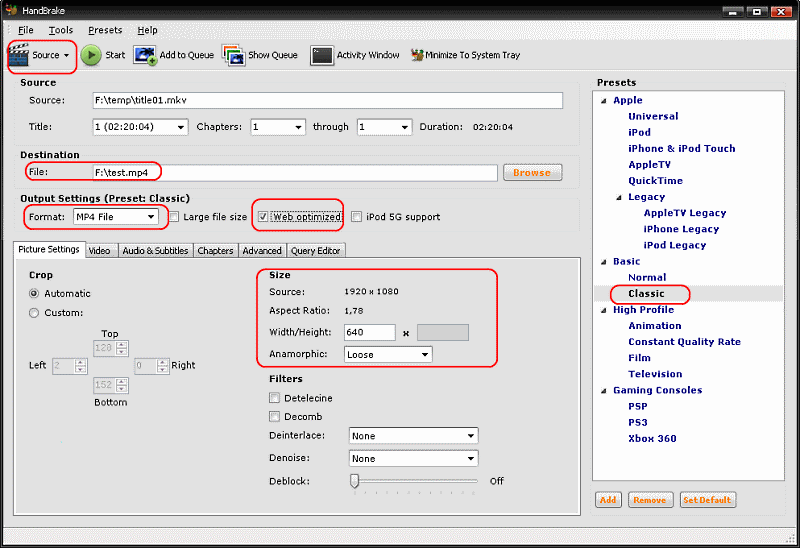
Choose the Basic->Classic Profile
Set the Format to MP4
Set the Destination output file.
Set Web Optimized and the mp4 will start play directly in flash.
Set the Video Frame size, like 640x. Change the Anamorphic to None to change to a custom size or Loose to just adjust the width and the height will be automatically calculated.
Set the Video codec to H264 under the Video tab.
Set the Target size in MB, about 3-5MB/minute for 640x480 video or 10MB/minuter for HD video(1280x720). Easiest is to test different sizes and see how it looks like. You can also try use 2-pass encoding for a bit better quality but slower encoding or the Constant quality setting, you can't then set a file size but the quality will be based on the source file quality .
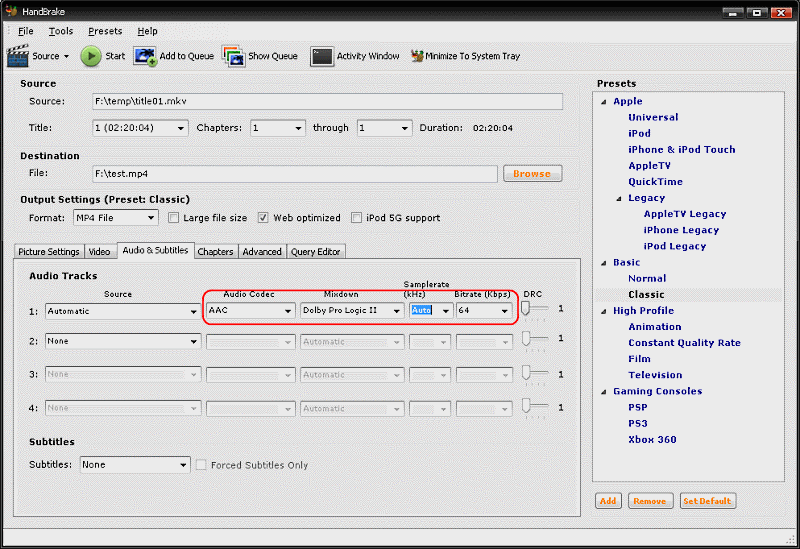
Set the Audio codec to AAC under the Audio & Subtitles tab.
Set the Audio bitrate to around 64kbits to 128kbits, higher bitrate = higher quality but it means you will get lower bitrate/quality for the video.
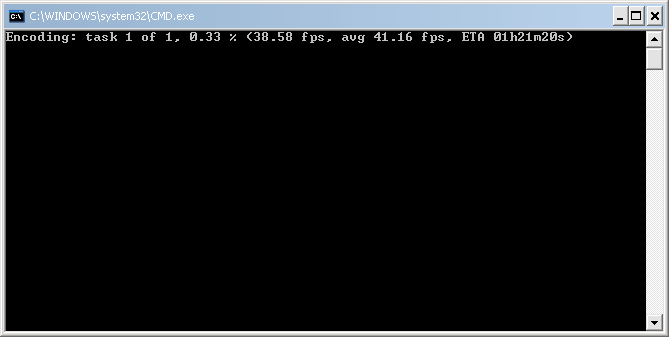
Hit Start to start convert! or add it to the queue and add more jobs and encode the entire queue.
Put the video on your site
Download JW FLV Player and extract the player.swf and swfobject.js and put on your site with the mp4 video you created above.
Problems
Add an image to the flash player by adding the &image=flash.jpg to the flashvar setting,If you can't see the video in your web browser be sure to upgrade to latest Adobe Flash player(requires at least Flash Player version 9.0.115 or higher).Code:s1.addParam('flashvars','file=test.mp4&stretching=fill&image=flash.jpg')
If you don't want any black borders in the player you can add &stretching=fill in the url to your mp4 file like http://www.site.com/folder/test.mp4&stretching=fill
If HandBrake wont work you can use other all-in-one h264 converters like Xvid4PSP,. StaxRip, Ripbot264, avidemux.
+ Reply to Thread
Results 1 to 9 of 9
-
I'm a MEGA Super Moderator

- Aug 2000
- Sweden


Last edited by Baldrick; 18th Feb 2011 at 08:31.
-
baldrick - are the pictures covering up some text? the top of some letters look like they are poking up.
-
I'm a MEGA Super Moderator
- Aug 2000
- Sweden
-
Nope, just crappy screenshots. I have updated them now so it shouldn't look like that. And this is just a copy of https://forum.videohelp.com/topic355179.html but with handbrake instead.
 .
.
-
hehe - looks cleaner now. i've never tried handbrake myself, but it looks easier to use than some of the h(x)264 gui programs i've used. the video linked to www.site.com was interesting for awhile...
-
Is "Web Optimized" code for deinterlacing?
Too tired to experiment at the mo...
The last JW player without the logo was 4.4.162 I think...probably some versions lying around at their site -
Baldrick, what do you think of FlowPlayer? They have a lot of free javascripts as well.
-
I want to use this tutorial, but can't view the 'Code:'. It says that I need to use the
latest version of Flash Player. I am using chrome and when I click on the link,
it says that I already have the latest version.
What to do??? Thanks, Ken Niebling
-
Can the movie be in a mkv container and still be web optimized for the same process?

 Quote
Quote


Similar Threads
-
How to easily convert DVD to high quality MP4/MKV H264 using free tools
By Baldrick in forum User guidesReplies: 45Last Post: 25th Jul 2017, 22:35 -
Which is better, AVIDEMUX or HANDBRAKE to convert high quality mkv's to mp4
By rxloren in forum Newbie / General discussionsReplies: 8Last Post: 1st Nov 2010, 20:33 -
Streaming a MP4 file from a site with flash
By Cazz in forum Video Streaming DownloadingReplies: 4Last Post: 5th May 2010, 14:21 -
Flash with high quality video (MP4 with H264 video and AAC audio)
By Baldrick in forum User guidesReplies: 49Last Post: 19th Mar 2010, 09:05 -
Can i have High Quality embedding a playlist in my private site
By raebild in forum Video Streaming DownloadingReplies: 0Last Post: 6th Jun 2008, 05:36