


 View Profile
 View Forum Posts
 Private Message


Tools you'll need -
Avidemux
Varsha
DVDAuthor
Transcode
FFMPEG
Varsha is a standalone app that only needs java to be installed.
The other apps are available in RPM and DEB packages for most major (Mandrake, Fedora, Suse, PCLinuxOS, Debian, Mepis, Knoppix) Distros. I compiled them all on my Slackware and Vector Linux machines without too much trouble.
Step 1
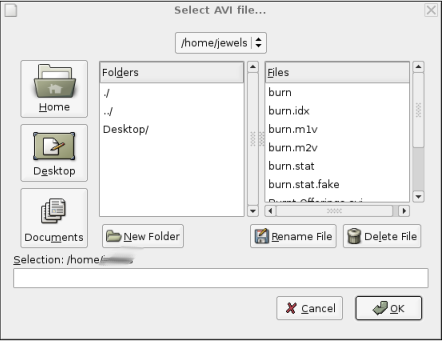
Load your AVI into AVIDEMUX.
Hit CTRL-O to get the Select AVI File window.
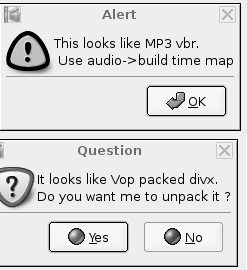
Avidemux will do a brief reading of the avi file to find out which codecs are used, and if there are any problems with the file.
This file happens to have vbr mp3, and is also VOP packed.
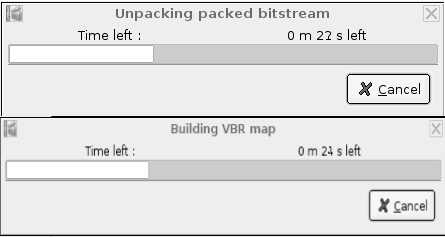
Let it unpack the file.
To fix the VBR audio, goto the audio menu, and choose Build VBR time map. This should be pretty quick.
Time to resize and filter.
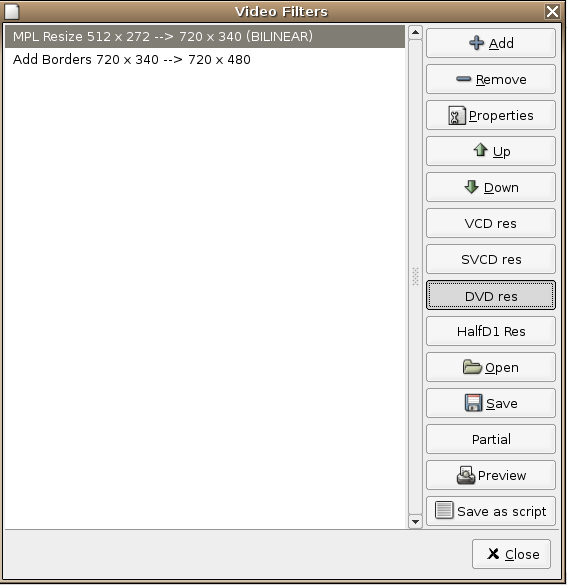
Avidemux includes default resize buttons for VCD, SVCD, DVD, and Half D1 resolutions. Makes it an easy one step process. The resize presets use MPlayer's bilinear resize, you can change this if you want. I usually use Lanczos resizing.
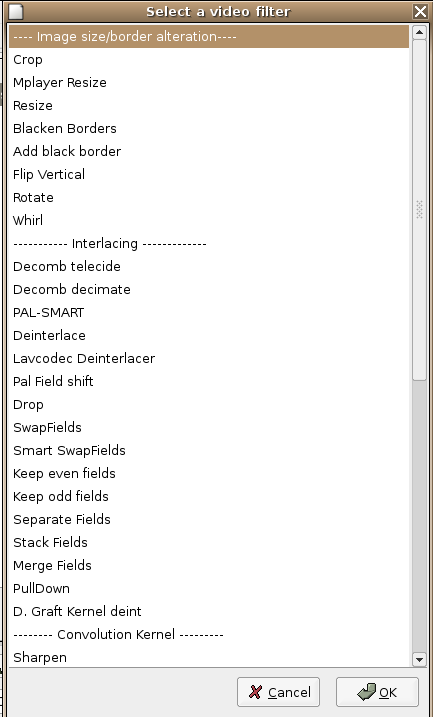
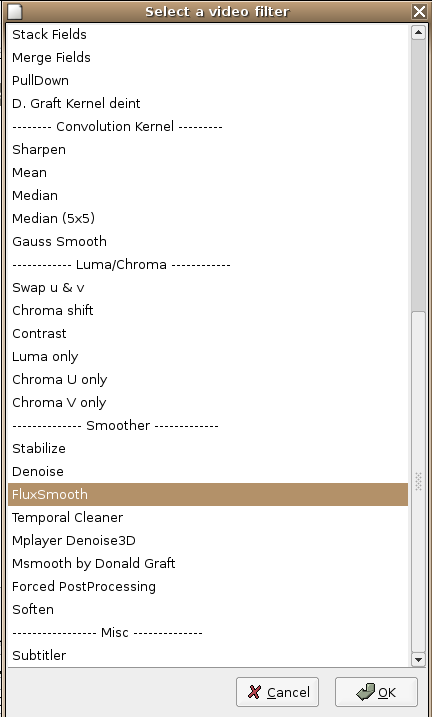
The filter collection is decent. Plenty of filters to deal with interlaced video, perfect for Cable TV captures, some noise filters, just wish there were more color correction tools 8)
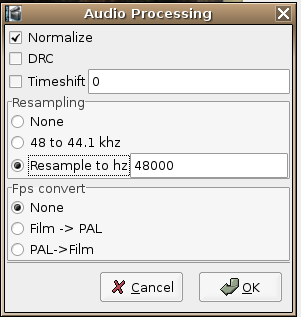
Audio Filters include a few basic functions (Normalize, Resample, DRC) if you need more filters try Audacity or somethng similar.
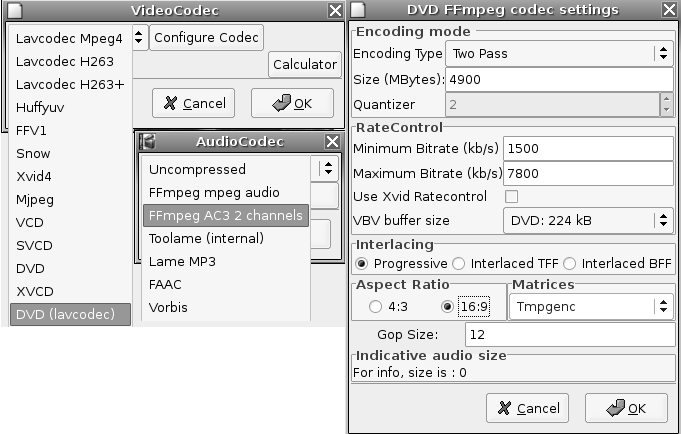
Time to set the output format/codecs. Since Avidemux interfaces with FFMPEG you'll have most of FFMPEG's output options. I'm creating a DVD, so I'll choose DVD LAVCODEC. If you choose just DVD, it does not use the FFMPEG encoder, but instead Transcode. Wich is rather slow, and doesn't have the same quality as FFMPEG IMO. Audio options are uncompressed, FAAC, OGG, Toolame MP2, lame MP3, or FFMPEG's AC3, and MPEG Audio.
You should use the built in calculator to see what bitrate you need to use.
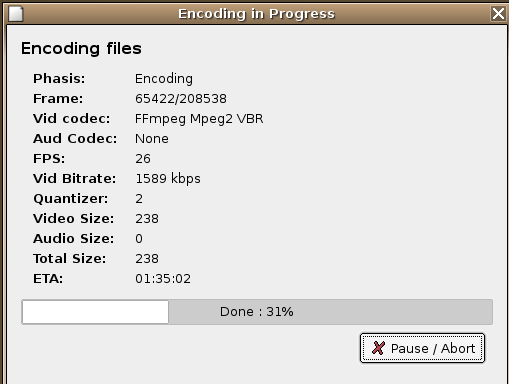
Now it's time to encode the video and audio. Make sure you press the V Process (F5) and A Process (F6) buttons so Avidemux will process your video and audio. Choose FILE - SAVE - SAVE VIDEO (or hit CTRL-S). Choosing DVD PS won't work with FFMPEG as the encoder, you'll have to choose Transcode (DVD Preset).
Once the video is done, choose the Audio Menu, and select SAVE AUDIO (or CTRL-B).
Speed is pretty decent on Vector Linux (2.6.8 Kernel) and a Cele 1700 384 MB RAM.
Create a DVD Program Stream with the .m2v and .ac3 you just encoded.
Use the open button in Avidemux, browse to your new .m2v and open it. Let the file be indexed. Now open the audio menu, and choose SOURCE - EXTERNAL AC3 (CTRL-3). This will load your files for multiplexing. Make sure process audio and process video are unchecked, or Avidemux will re-process your streams again.
Choose FILE - SAVE - SAVE AS DVD PS. This will create a multiplexed file out of the .m2v and .ac3 files you loaded.
On to authoring.
There are a couple of gui's for the dvdauthor package in Linux. Q DVD Author, DVD Styler, and Varsha (maybe more). I like Varsha for it's simplicity, and fact that there is no ./configure make make install required.
To open Varsha you have to have Java installed. Different distros put java in different places. My java executable happens to be in /usr/share/j2re1.4.2_05/bin/ . So I made a simple shell script
Depending on your distro and LD config path, your setup will be different.Code:#!bin/bash /usr/share/j2re1.4.2_05/bin/./java -jar /home/jewels/varsha.jar
Launch Varsha (BTW no my name isn't jewels. That's my girlfriend, and I'm using her computer to write this on.)
For this guide we will only do a simple movie only author. (If you want menus, you should use Q DVD Author or DVD Styler, as there are reports that Varsha's menus do not work).
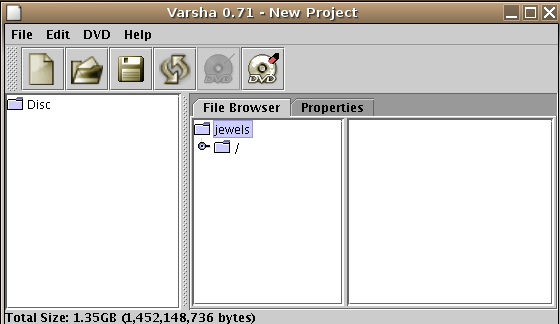
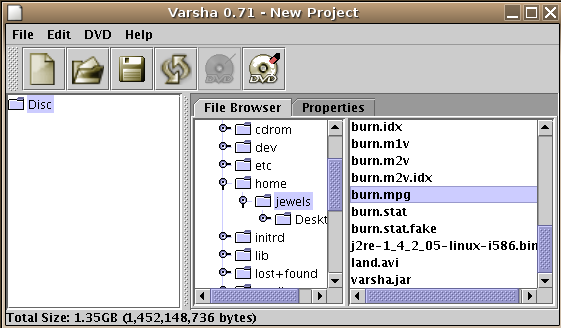
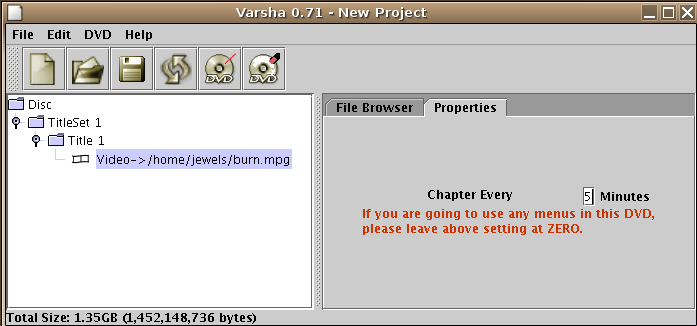
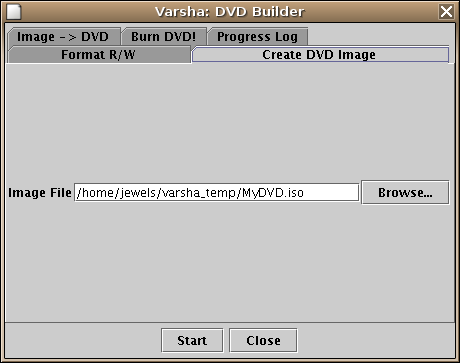
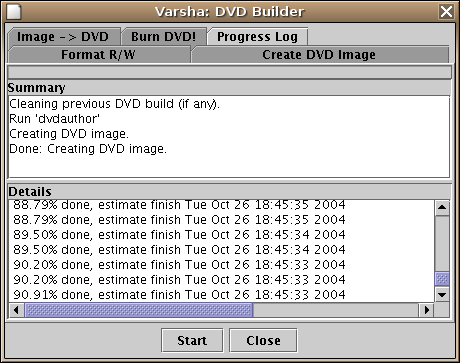
These screen shots should explain it. It really is this easy. Just drag and drop your mpg on top of the Disc folder icon. Then choose DVD - MAKE DVD ISO.
Once Varsha has compiled your image, burn the iso with your burner of choice (K3b, XCDRoast, gcombust, cdrecord.prodvd, or the built in burner with Varsha).
Disclaimer..........
I do not write guides. I am not an expert in anything. I've yet to see any guides for linux, hoping this will edge someone to write a more indepth and detailed one.
Any questions or comments, let me know.
+ Reply to Thread
Results 1 to 14 of 14
-
-
Excellent work disturbed1!
The only part that confused me was the saving of audio in avidemux. I use avidemux alot and from what i read it seemed that the audio was selected for processing when you saved the video and thus going into the same mpeg container as the video (ie already mutliplexed)
But ...
1. i have been using avidemux 2.0.26 (and have just now updated that)
2. i havent used avidemux for DVD mencoding yet.
So i could be wrong.
Is there any speed dfferences in using avidemux for ffmpeg mpeg2 encoding then command line ffmpeg mpeg2 encoding ?? (i have been having troubles with ffmpeg scripts and mpeg2 encoding)
I would imagine not, but i do find avidemux slower at lavcodec encoding then MEncoder.
Good job though. AMD 64 X2 6000+ @3,000 Mhz (stock) | MSI K9N Ultra | Corsair Value/Kingston 6,144MB DDR 667 | 8800GT stock | 3710GB of storage | Powered by Mandriva 2009.1
Jabber: DaveQB@jabber.org.au
2.6.29.3-desktop-1mnb -
It just takes forever here
1st pass it 's around 1.30hour, second pass states around 36hours ?????
Using Suse 9.2 Pro
Version avidemux-2.0.36-1
Trying avi (xvid-divx) 2 dvd -
That is a long time. Although good quality takes time.
I once did a 4 hours video (mjpeg) into high quality DVD and it took 70 hours on a P4 3.0ghz (using TMPEGenc though) - sorry off-topic AMD 64 X2 6000+ @3,000 Mhz (stock) | MSI K9N Ultra | Corsair Value/Kingston 6,144MB DDR 667 | 8800GT stock | 3710GB of storage | Powered by Mandriva 2009.1
Jabber: DaveQB@jabber.org.au
2.6.29.3-desktop-1mnb -
I'm trying to install Transcode. I installed everything else as a tar.gz file using ./configure make make install make clean. Execpt for Avidemux, that was a rpm file.
Now when I try to install Transcode, this is the last output:
configure: error: FFmpeg (libavcodec) required, but cannot compile ffmpeg/avcodec.h
Is there anyway in Linux, like in Windows, to change a file so I can tell the system where I have installed everything or so I know where everything is going to be installed?
Feel free to ask any questions!
As I installed Avidemux as rpm it works, after installing faac... and faad, so I don't know at this point if the Avidemux works. And I have to install DVDauthor as I don't get to install Varsha.
Thanks to anyone for helping!! -
I strongly recommened installing everything through RPM. That what its there for, packet management system for easy installtion and removal. If still insisiting on doing source installs, looking into a program called checkinstall.
As for testing avidemux, run the command avidemux2 at a terminal and what do you get ??
Shouldn't this be a thread of its own ??? AMD 64 X2 6000+ @3,000 Mhz (stock) | MSI K9N Ultra | Corsair Value/Kingston 6,144MB DDR 667 | 8800GT stock | 3710GB of storage | Powered by Mandriva 2009.1
Jabber: DaveQB@jabber.org.au
2.6.29.3-desktop-1mnb -
an update on this would be that all the tools u need to do this are available for the bet distro i have ever stumble across (simplymepis) just install and the synaptic package install all the nec tools simply even the doze boyz could do this
whats that your reading hope its work (s**t caught again) -
i got to the point in Avidemux where i have to....:
"Choose FILE - SAVE - SAVE AS DVD PS. This will create a multiplexed file out of the .m2v and .ac3 files you loaded."
but when im in Avidemux and i go to File - Save - ??? there is no save as...
could someone tell me why? -
Originally Posted by Frostman123
-
Awesome guide! I need help with anamorphic output for DVD creation, though. Anyone know of a guide for that?
-
Well done made.....
-
hi. thanks for the guide. i've used it before successfully, but now i am having a problem. as this guide is old and avidemux has been updated since then, some of the dialogs are different, but i can still find the same options. ok, so i am trying to covert an xvid/dd5.1 ac3 file. when i open it, i get a message that there is a "Packed Bitstream detected" and i choose to unpack it. once that is finished, however, the option for the video is set to "Copy" and grayed out so i cannot change it. however, if i go to video -> encoder (alt-^V) i am able to change it there to DVD (lavc). it changes to "DVD (lavc)" in the main window but still remains grayed out. i can configure it now following the guide. now, when i go to file -> save as, i don't see anything about DVD PS, just "save video". so i tried that and typed in a filename. when i click OK i keep getting "Incompatible output format" and i am unable to proceed.
-
It really isOriginally Posted by scarf
 Perhaps I should do another, as I have not used Avidemux for a number of years. Alas, all of my encoding is done from the terminal with ffmpeg piping to mpeg2enc - not sure anyone wants to read a bunch of text commands.
Hopefully someone that does use current versions of Avidemux will chime in, but in the mean time I can only offer to use a different program. Some of which are - DeVeDe (Simple all in one converter and authoring program), DVDStyler (Advanced DVD Authoring with built in encoding), WinFF (GUI to ffmpeg with presets), or ffmpeg/mpeg2enc from the command line.Linux _is_ user-friendly. It is not ignorant-friendly and idiot-friendly. -
hey, thanks disturbed1. i think we are lacking in linux guides, so if you are having success with the command line, i think it is reason enough to write a guide! i don't care really, whatever gets the job done.
incidentally, i received some help in the avidemux forums and was able to successfully create a DVD.iso. once receiving the message about the packed bitstream and clicking YES, avidemux had already selected the proper settings. all i then had to do was save the video. this created an unpacked AVI, which i opened again in avidemux. then i could follow the rest of your guide in creating the m2v and ac3 files, then muxing them together.
i am using version 2.4.4. i think the most significant change since the guide was written, is the selection of the output format. whereas, in the guide, it seems this is to be selected from the 'file -> save as' menu, there is now a drop-down menu in the main window to select the output.
where the guide suggests to save as "Transcode (DVD Preset)" i selected "MPEG Video" in the dropdown then clicked the save button and saved the .m2v.
where the guide suggests "FILE - SAVE - SAVE AS DVD PS" i selected "MPEG-PS (A+V)" and clicked the save button to save the .mpg.
where the guide says "open the audio menu, and choose SOURCE - EXTERNAL AC3 (CTRL-3)" this was accomplished by selecting the audio menu -> main track.
finally, where the guide says "Make sure you press the V Process (F5) and A Process (F6) buttons so Avidemux will process your video and audio." i did not find these options so just ignored this.
i think those are the most significant differences.Last edited by scarf; 6th Feb 2010 at 14:25.
 Quote
Quote Visit Homepage

Similar Threads
-
Basic questions on Premiere Pro, Authoring, Encoding...
By nharikrishna in forum Authoring (DVD)Replies: 4Last Post: 11th Oct 2010, 00:49 -
DVD authoring - linux
By andreltr in forum LinuxReplies: 6Last Post: 24th Jun 2009, 12:58 -
DVD Authoring in linux
By ronnylov in forum LinuxReplies: 6Last Post: 20th May 2008, 05:00 -
AVI->MPEG2 (CCE Basic) encoding results in incorrect video length in pla
By binister in forum Video ConversionReplies: 8Last Post: 26th Feb 2008, 17:29 -
usefull dvd authoring tools for linux
By savignien in forum LinuxReplies: 1Last Post: 12th Jun 2007, 04:21