


 View Profile
 View Forum Posts
 Private Message


Advanced DVD menu creation in TMPGEnc DVD Author 2.0 to beginners.
Creative DVD menu in Adobe Photoshop :
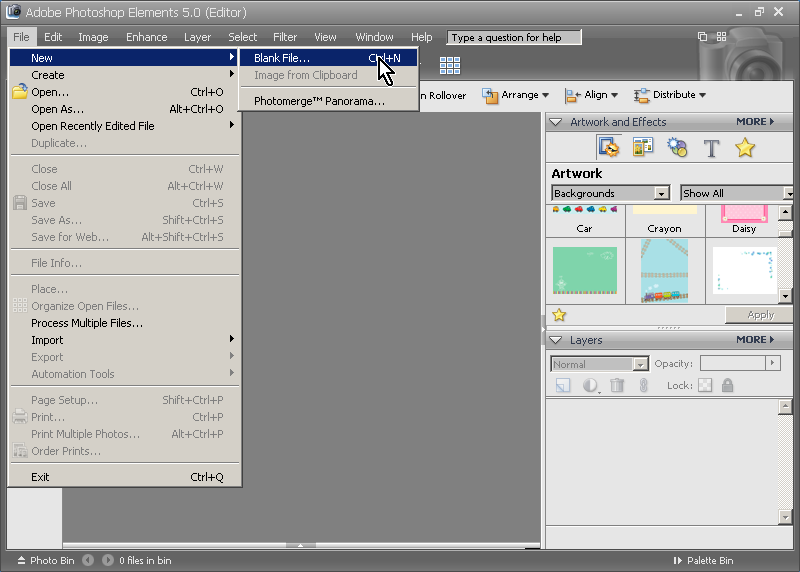
File-> New..
Select from photoshop Preset size of frame NTSC or PAL
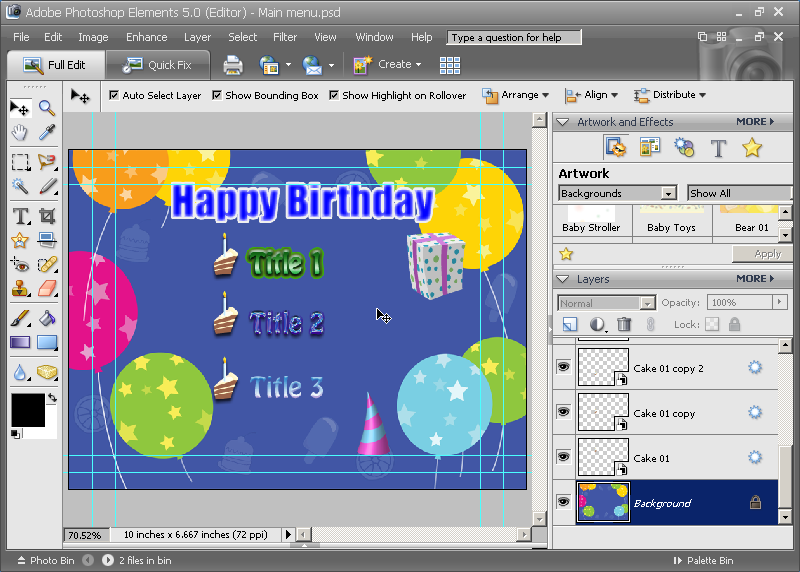
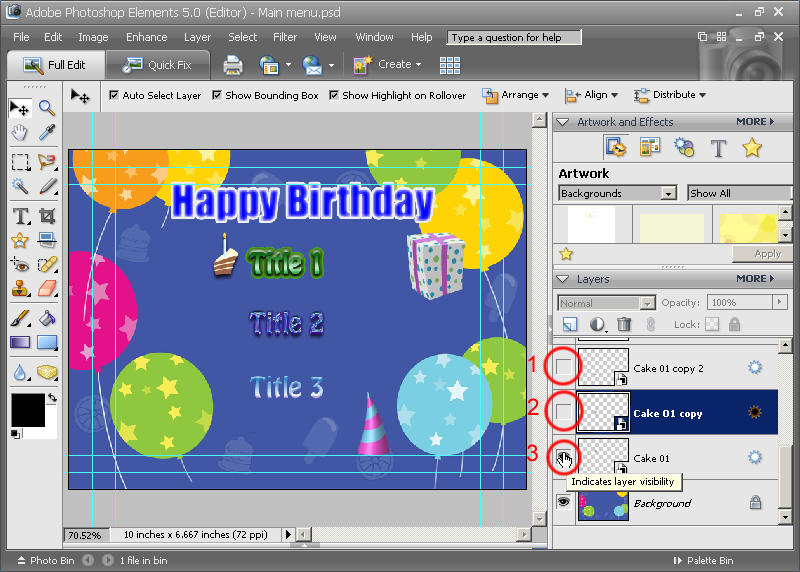
Build menu as you like
Hide buttons in layers
In my case its 3 cake
save file as Main menu.psd photoshop file
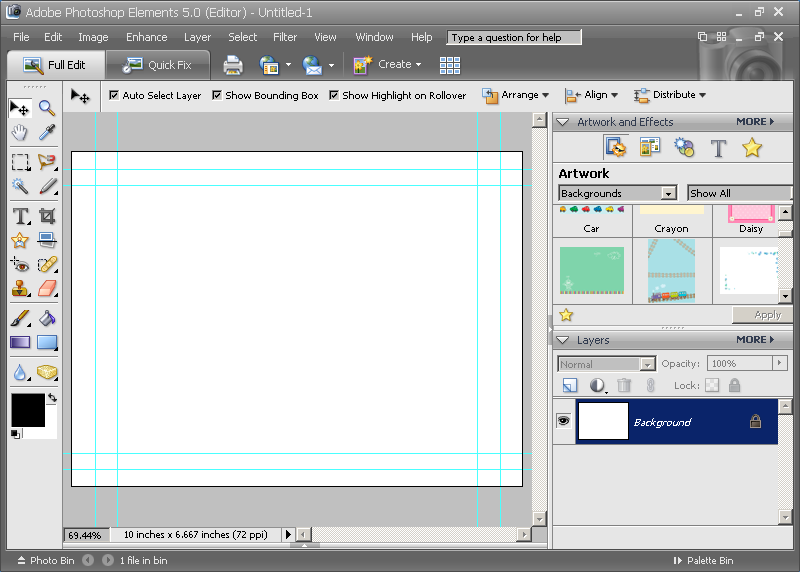
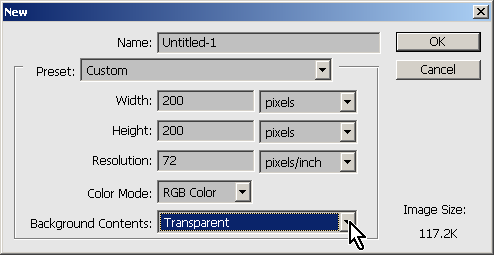
File -> New..
select like in screenshot and most important set background to Transparent
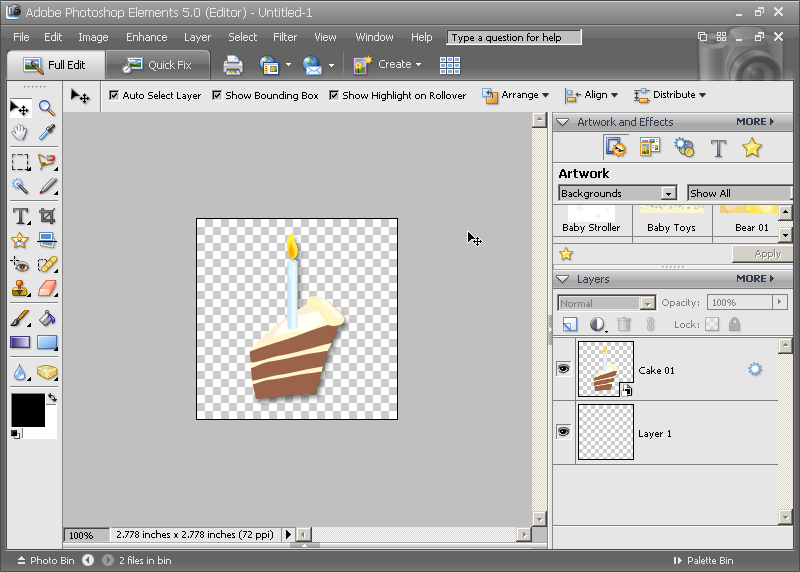
drag and drop image of button to new file
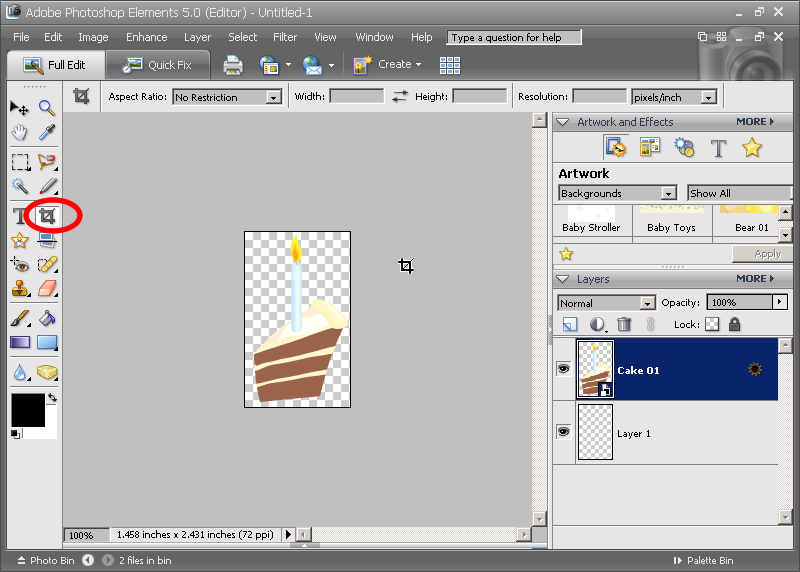
Adjust size of image to size of button with Crop Tool
save image as name CakeButton.psd
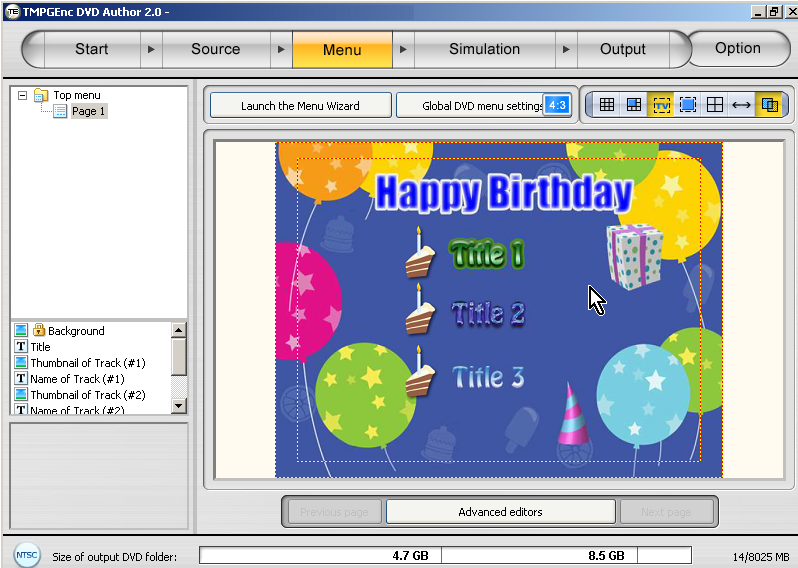
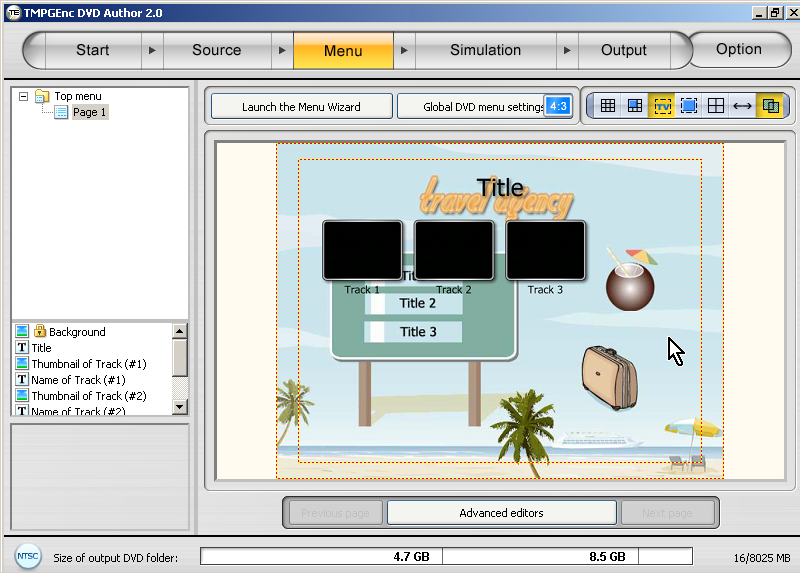
Follow menu wizard of TMPGEnc DVD Author
Drag to bottom all titles
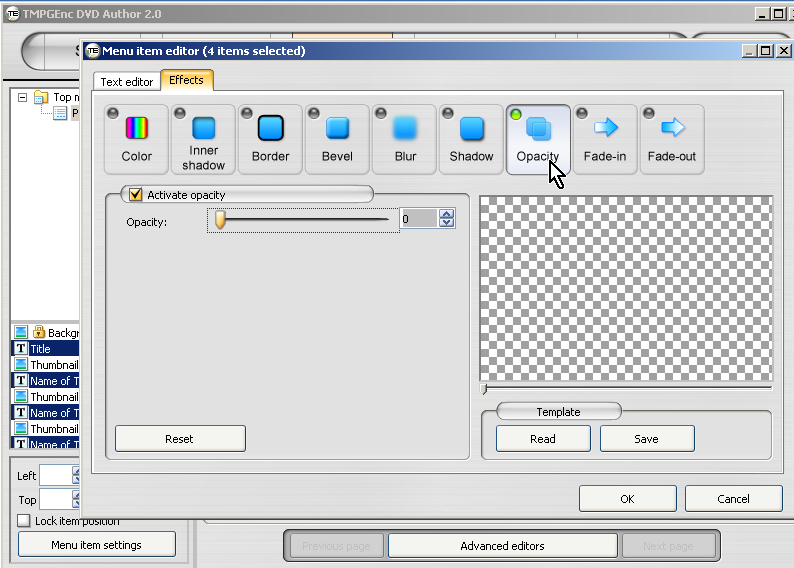
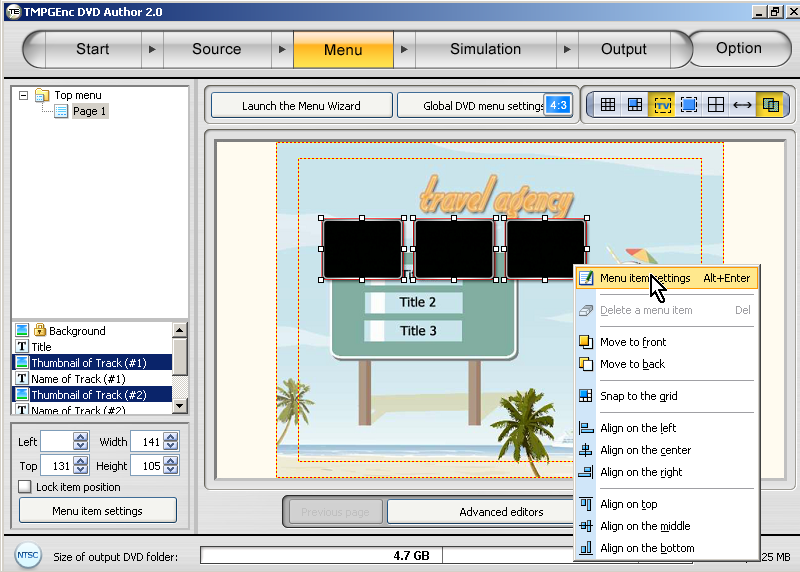
select all titles and select Memu item setting
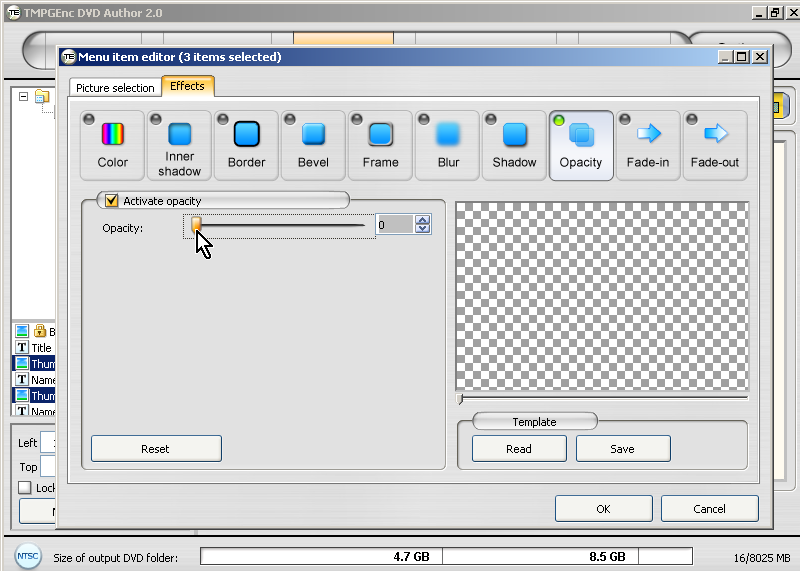
Set Opacity to 0 to hide titles
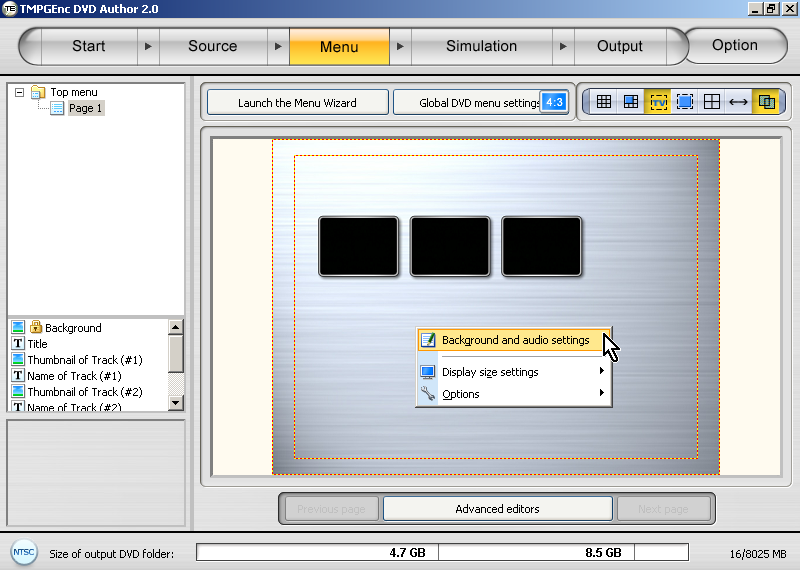
Select Background and audio settings
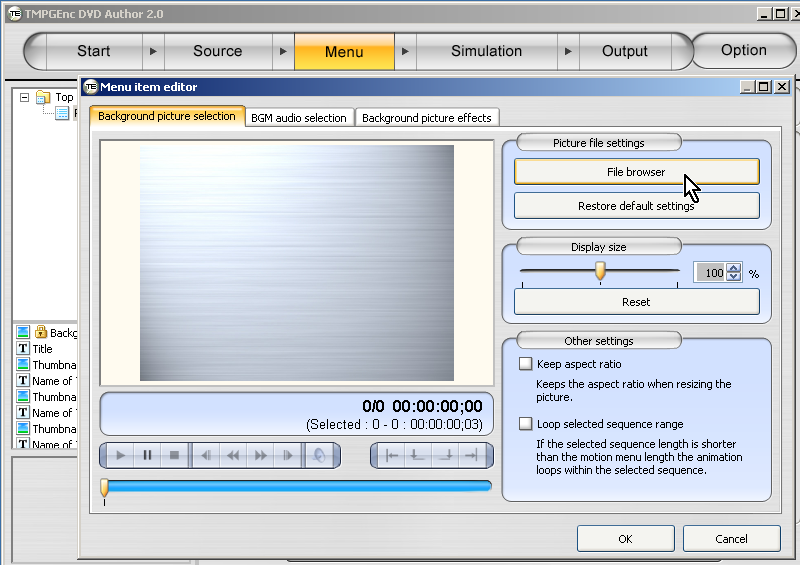
Click on File browser and select Main menu.psd file
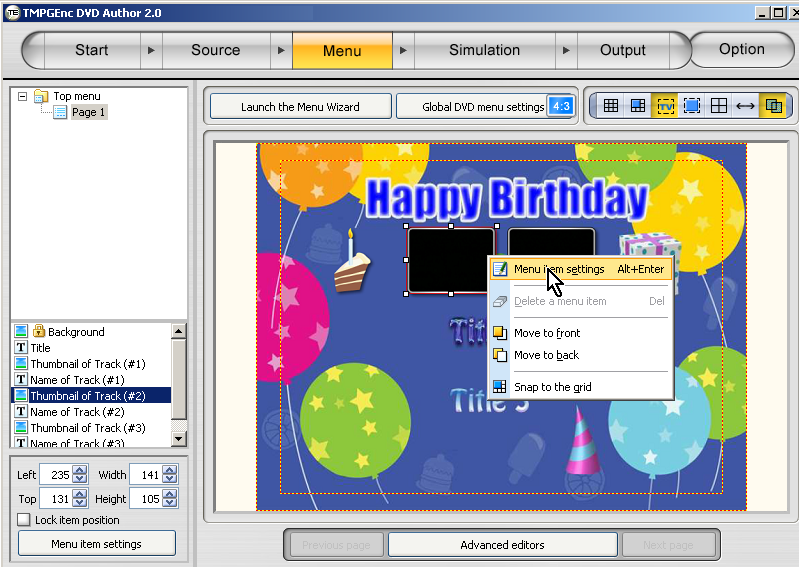
Select one of button and enter with right click to Menu item settings
Click on File browser and select CakeButton.psd file
Disable in Effects, Frame option and select OK
Repeat to 2 left buttons
optional:
Select Highlight of buttons from Global DVD menu settings
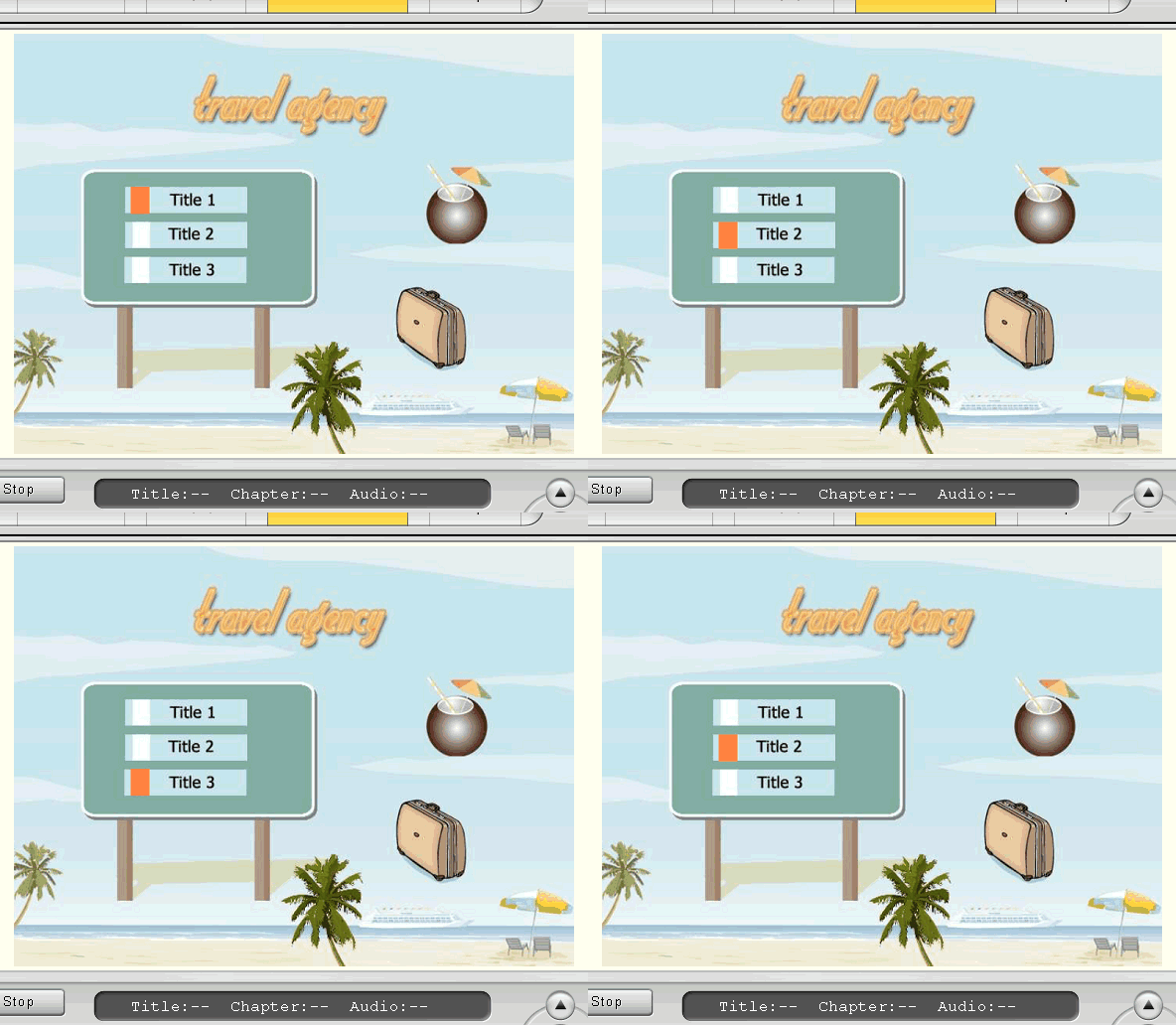
Preview DVD:
Other option:
If Highlight of buttons have shape of square, you don't have save buttons separate.
Like this for example:
Load to the background photophop file with buttons
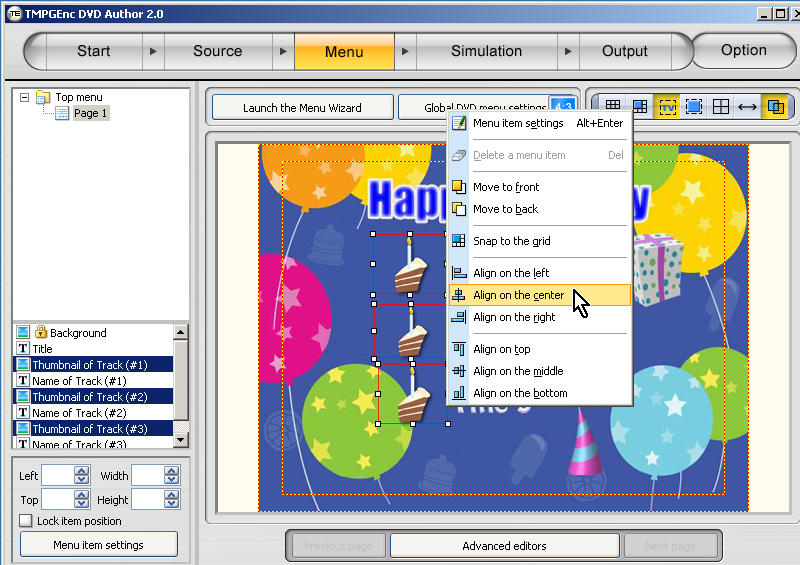
Select all 3 buttons and select Menu item settings
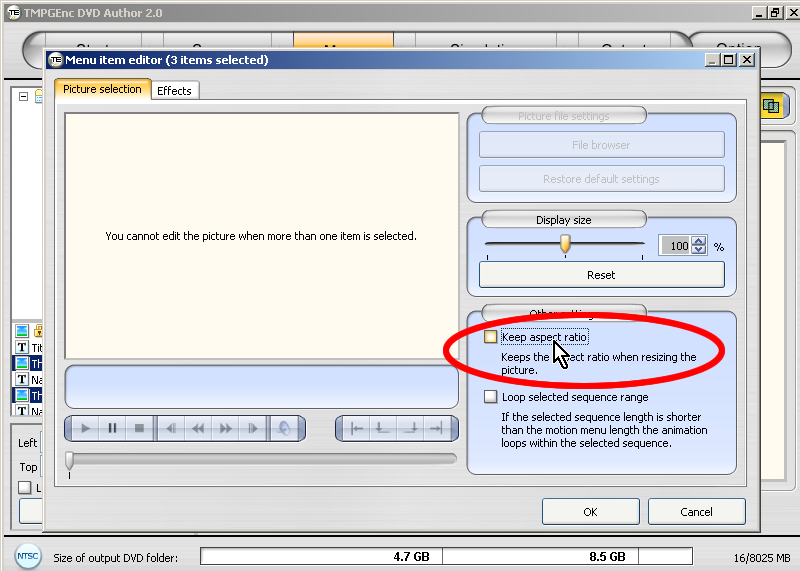
Disable Keep aspect ratio and all effects in Effects tab
Make shape and position correct to the image
Select again all 3 buttons and select Menu item settings
Set effect Opacty to 0, in Effects tab
done
Preview DVD:
+ Reply to Thread
Results 1 to 30 of 46
-
-
Any way of doing this on a tighter budget? After blowing $90USD on DVD Author 2.0 you would have to blow another $100USD on Photoshop Elements 5.0 all to produce what is still a rather static, simplistic menu. How about a guide to producing some animated menus or syncing audio to an animated menu? Friends of mine have done this quite effectively with Author 2.0, so I'll get them to give me a run through on how it's done....
-
First you have 60 days trials to use: Photoshop Elements 5.0 30days + Photoshop CS2 30days
Second you have freeware alternative to Photoshop,
GIMP 2 can save,open and edit Photoshop file, not best like Photoshop but its freeware.
http://gimp-win.sourceforge.net/stable.html

-
[quote]If the Highlight of buttons shape of square, you don't have save buttons separate.
This is a great guide, thanks. I don't understand the second option, something was lost in the translation -
If Highlight have shape of square.
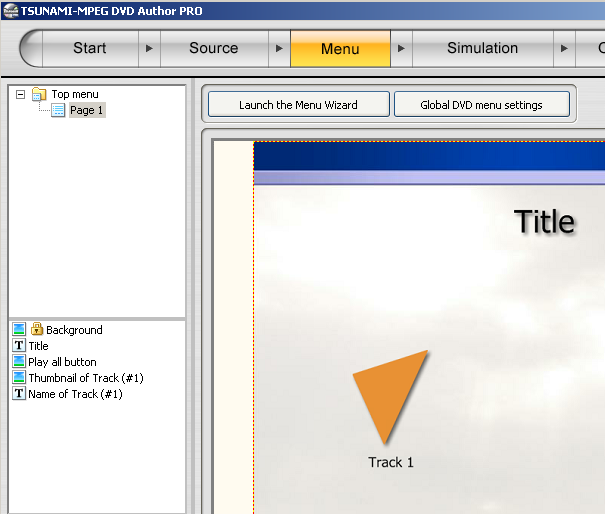
Highlight indicate that button selected on menu
Highlight its orange thing on this image:

-
Good guide, thanks. I've played a little with photoshop and buttons, but this looks to be more useful than the info I used. Hopefully will find the time to play with this soon.
-
Excellent, roma_turok! Thank you so much for spending the time to explain all this. I love it!

As TimA-C said, I will have to find the time to experiment with this too.
One question: in the first example with the 3 cakes as buttons, is there a way to hide the cakes when they are not highlighted? -
Rules/specifications of DVD not allow to hide button when its not highlighted.
-
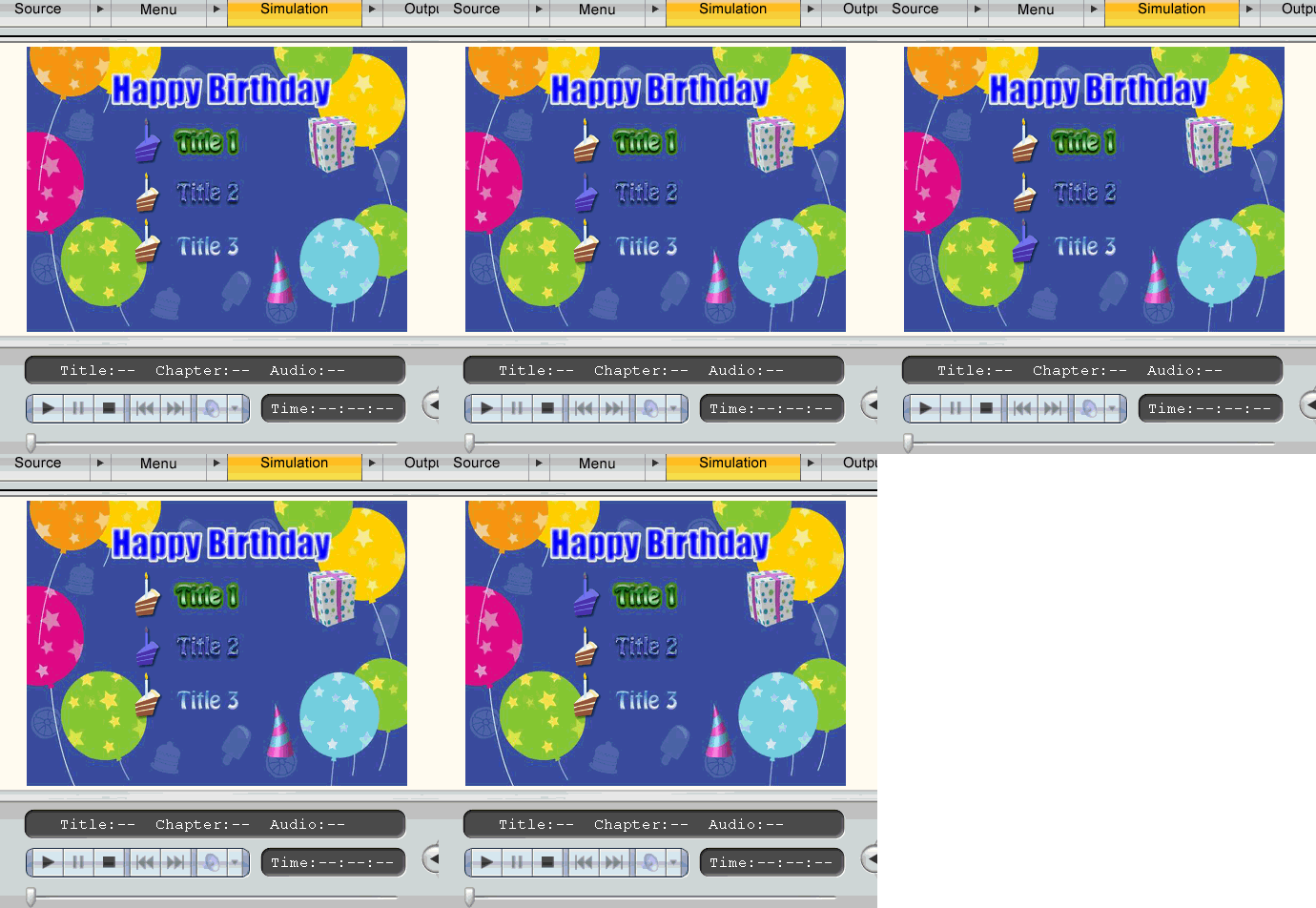
What I meant was that only one cake is visible at one time in front of the title/chapter that you select. So I guess that would be a sub-picture? I am not familiar with the technical terms but I don't think it's a background graphic.
I would think it should be allowed in the specs because I have seen it in commercial DVDs where a symbol or object is used as a pointer to show you what chapter is selected.
Is this explanation clearer?
Thanks. -
You explanation cleared in fist post on this topic.
I understand you like on this image simulation:
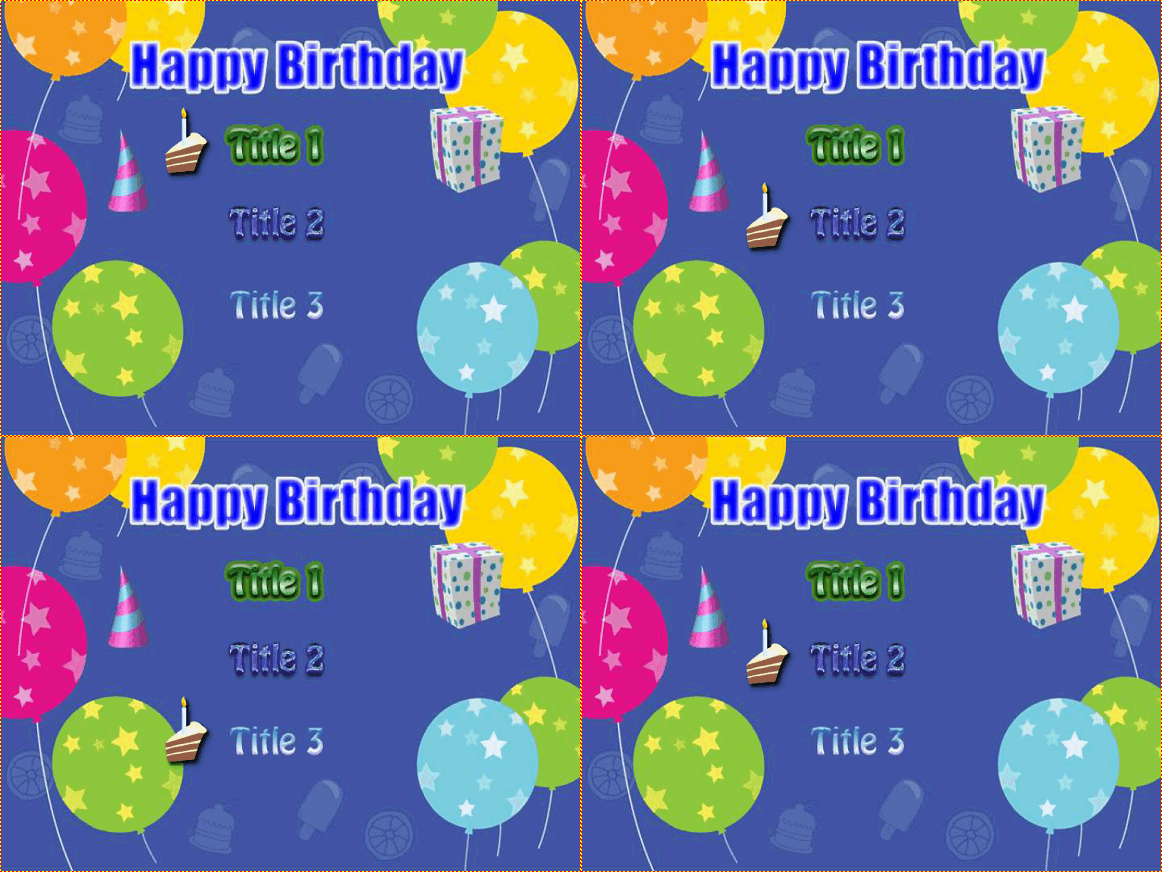
But features or technology of DVD not allow to do this.
I only guess what you see commercial DVDs,
its illusion where a symbol or object is used as a pointer
actually you jumping from menu to menu, when you moving the symbol.
Its possible to build menu like you wanted,
but if you have for example 5 buttons in 1 menu, you need to build 5 different menus.
Its became a mess, I not recommended
Only will be done with Adobe Encore DVD,DVD-lab or other they have more control on menu.
Please read this post: https://forum.videohelp.com/viewtopic.php?t=256913
Please read this guide to make menu as you asking: http://www.mediachance.com/dvdlab/tutorial/switchmenu.html -
Yes, roma_turok, this is exactly what I had in mind. Thanks for posting the animation to show what I meant!
Ok, so I understand that it's more involved than what is explained in your guide. I will take a look at the links you posted.
Thank you for your help!
-
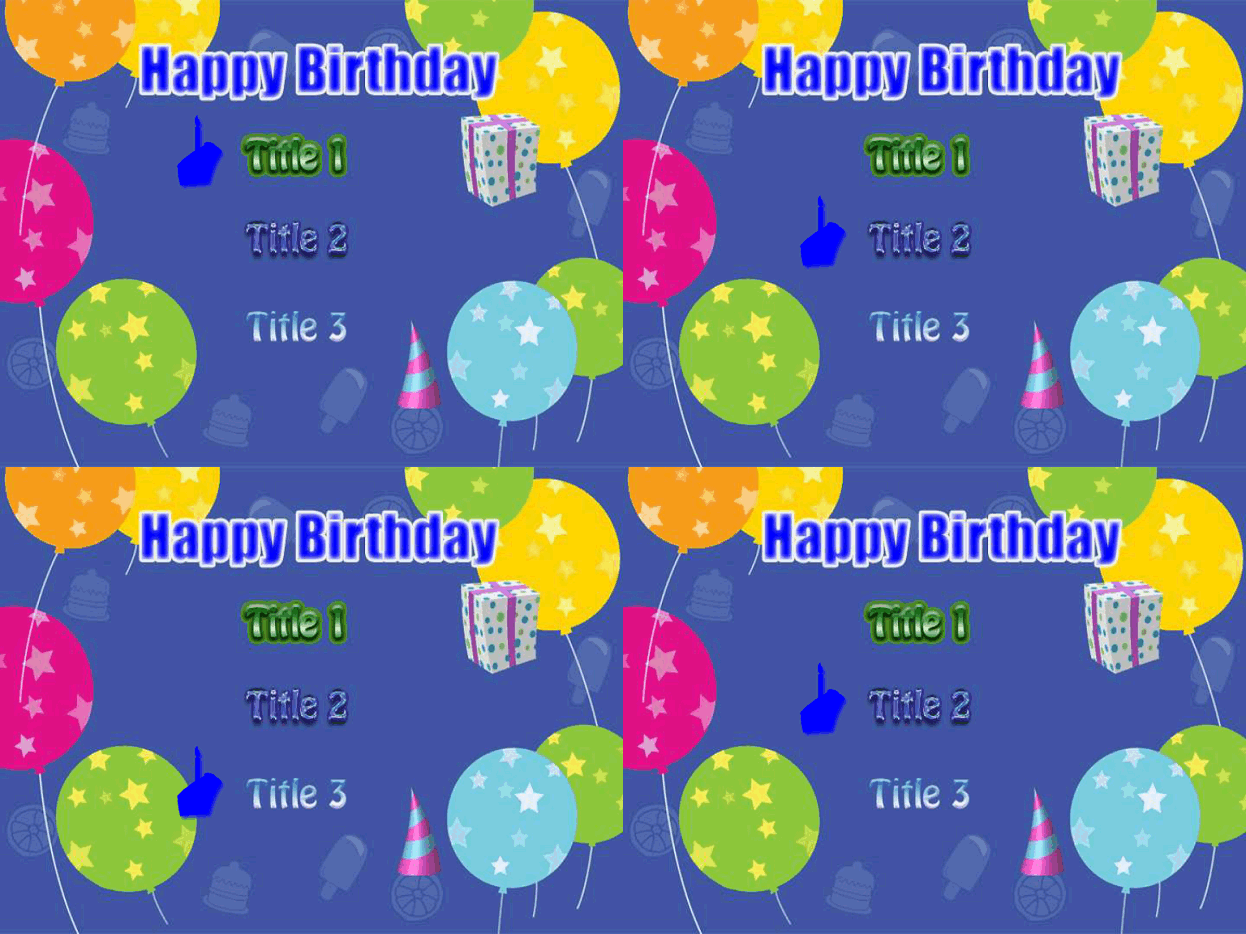
Or you can set in buttons Opacty to 0
with only highlights left, this can help?
-
What do you mean the DVD technology doesn't allow this? I create DVD's all the time using those "jumping" buttons...in DVDLAB Pro. It's just one menu and the subpicture is set up in a way where the buttons are "invisible" in normal mode. Only when you use your remote or hover your mouse over the button/hotspot does the button highlight. That last link to mediachance is not for that type of menu though.Originally Posted by roma_turok
-
Please read post careful before you post and try understandOriginally Posted by Pinstripes23
I not talking about hiding buttons in menu.
I talking about moving button with full 256 color button, not 1 color highlights -
Yes, that's good enough for me. I will just create the shape of an arrow or a pointy object instead of a cake and that will do it for me. Thank you for your suggestions!Originally Posted by roma_turok
-
Hi
Has anyone tried this in Tsunami Pro 2? I can't get rid of the black box around my cake!
Thanks -
Try disable Frame option like I write in the guide
-
Hi Roma
Still no luck. Tsunami doesn't like transparency -
You have option to upload file on replay post, on the bottom
Please ZIP the button file, and upload zip file
I take look on the file. -
Thanks roma_turok
I appreciate you helping out
button.psd -
Convert image to RGB color and save file different name.

-
HI
I converted as you asked. Still the same. Does my file work for you in DVD author?
Thanks
button_2.psd -
roma_turok
Can you post your cake button so I can see if it shows transparency in my program?
Thanks -
You use Photoshop CS2?
button_2edit.psd -
I'm using corel draw and exporting psd. I also tried Gimp. Same thing.
-
Try button_2edit.psd: https://forum.videohelp.com/images/guides/p1641682/button_2edit.psd
-
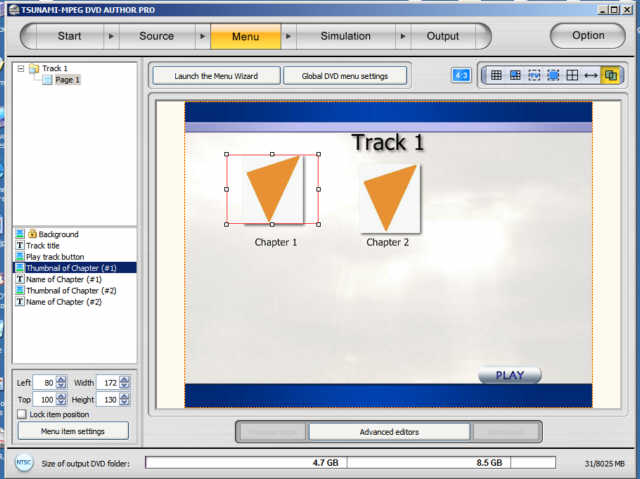
This is what yours looks like.........same as mine........I must step out for 1 hour. Thanks
-
Just check if you download right file button_2edit.psd, saved with Photoshop CS2.
I tested file on Tsunami and its OK
I only can confirm, the file saved in GIMP not go transparency.
-
Thanks so much roma_turok. You have proven its my corel draw thats incompatable. Your edited file works fine. I'll have to try other drawing packages.









 Quote
Quote
Similar Threads
-
menu problem in TMPGEnc DVD Author 3
By sanduul in forum Authoring (DVD)Replies: 13Last Post: 23rd Oct 2007, 19:20 -
TMPGEnc DVD Author 1.6 thumbnail menu issue
By Bix in forum Authoring (DVD)Replies: 0Last Post: 3rd Oct 2007, 10:00 -
TMPGEnc DVD Author 3 (MENU PROBLEM)
By jaffacaique in forum Authoring (DVD)Replies: 9Last Post: 18th Sep 2007, 19:43 -
TmpgEnc DVD Author 3 - Question About Menu Music
By heyjjjaded in forum Authoring (DVD)Replies: 10Last Post: 30th Jul 2007, 13:16 -
Menu troubleshoot using Tmpgenc Dvd Author
By tekka06 in forum Authoring (DVD)Replies: 8Last Post: 4th Jul 2007, 03:53