


 View Profile
 View Forum Posts
 Private Message


i have an avi file which has no audio problems but when i convert it to dvd using vso divx to dvd after about 20 mins it goes out of sync by quite alot can anybody help please tia
+ Reply to Thread
Results 1 to 30 of 48
-
-
open the avi in g-spot 2.60beta and check the audio. There is a good chance that the audio has been encoded with VBR MP3, which seems to cause sync issues with a lot of encoders. The latest version of ConvertXtoDVD (DivxtoDVD's big brother) has a lot less problems with it, but even it isn't immune.
If this is the case, open the avi in virtualdubmod (click OK to the VBR warning you will get), then go Streams->Stream List. Right click on the audio and select Full Processing. Right-click again and select Compression. Choose Uncompressed PCM. Click OK, then click Save WAV and create new file. The file size should be around 100mb per 10 minutes of footage (i.e. 90 minute file should produce a 900mb file, give or take a few MB). Once this completes, click on Add, and select your wav file. Click on the MP3 audio track, then click on the disable button. Click OK, then go File->Save as. Make sure it is set to Direct Stream Copy, and save a new avi file with just your new audio track. Finally, open this new avi file, and test it for audio sync. If everything is good, use this in DivxtoDVD and see how it goes.
Of course, if it isn't VBR MP3 audio, you have something else to worry about, so do a scan for bad frames in virtualdubmod at this point.Read my blog here.
-
thanks very much for your time and effort...ur method has worked . the whole film is now in sync. once again thank you

-
what the hell?? this isn't what i posted.. i guess someone redirected me to this cuz they think i had this problem instead. well instead of doing the ridiculously long drawn out process gunslinger suggests. i just got winavi and it put it on dvd in like an hour with about 10 mouse clicks. thanks for the help slinger but i just really hate it when i have do download a bunch of stuff just to do something simple. i highly recommend winavi for it's easy use. and for burning, i recomend having nero but using dvd shrink.
-
I'm actually having the same problem, except mine is in reverse. I've ripped several DVDs over the past few months, and at least half of them are fine when played back from the HD as DVDs in PowerDVD and WinDVD. The problem comes when I try to convert them in either Divx Converter or AutoGK. They go severely out of sync. For instance, a recent rip of a Babylon 5 DVD had four episodes in one file, but the audio for the last episode would actually be heard during the first 20 minutes of the first episode.
I've been using both RipIt4Me and DVDFab HD Decrypter, but I thought I had heard somewhere that you were supposed to use those tools only when something like DVD Decrypter didn't work. If that's the case, is there a definitive list of which studios use which formats? I found a partial list of the studios that use ArCCos on Wikipedia, but there's no list that I know of of who uses Ripguard.
Also, the titles I seem to be having issues with are Warner Bros., Showtime and MGM titles. -
If the DVDs play back fine on your HDD, then open them in Shrink and use Re-Author to separate out the episodes and convert each in isolation.
Read my blog here.
-
I'll try that tonight with a few episodes of "Brooklyn South." That was one of the first titles where I had that problem.Originally Posted by guns1inger
-
CubDukat - Ripping is not your problem, per se. Ripping multi-episode DVDs and converting them is often problematic. The best thing to do would be to rip 1 episode at a time. You could use DVDFab HD Decrypter all the time if you wish because it will always work.
When converting, be sure NOT to use VBR MP3 audio. CBR MP3 audio is OK. VBR audio doesn't really save much disk space and all it does is cause sync problems for a lot of people. I wish VBR MP3 was never invented because it's caused too many problems for the miniscule space savings it gives. -
Hi there, I have the same problem as the first post, but my gspot says I have a CBR mp3. In fact, it used to be VBR, but I recoded it before getting here, but the result was the same.
What I thought could have something to do with it, was the video codec, since it's the old DIV3 (DivX 3 Low-Motion), but I recoded it to xvid and it was still out of sync on the DVD.
Any idea?
ThanksJust Brew It -
In what way is it out of sync ?
1. Out of sync the whole way through by a constant amount ?
2. Starts in sync and drifts further out of sync over time ?
3. Drifts in and out of sync throughout ?
There are different reasons and solutions to each case. Without knowing your case, I can't tell you which approach to use.
The solution posted above is to try to convert the audio without introducing sync problems, but it does not fix sync problems per se.
1. Out of sync by a constant amount.
This is the easiest to fix. Open the avi in Media Player Classic. Use the + and - keys on the number pad to change the audio delay until you have the audio back in sync. Note the final delay. Open your avi in virtualdubmod and select Streams -> Stream List. Right-click and select Interleaving. Enter your delay into the field in the bottom half of the dialogue. OK your way back to the main screen. Make sure both video and audio are in Direct Stream Copy mode, and save a new avi. Test it and make sure the audio is now in sync.
2. Starts in sync and drifts further out of sync over time
Usually this occurs when frame rates are changed (poor PAL to NTSC/NTSC - PAL conversions can do this). Essentially you have changed the running time of the video, and not the audio. To fix this you have to alter the running time of the audio to match the new video running time, or re-encode the video using it's original framerate.
Software that will alter audio running time includes BeSweet, Audacity (note : Audacity can alter the running time, but this will introduce a pitch shift as well. You have to then adjust pitch in a separate pass), Sound Forge and Audition.
3. Drifts in and out of sync throughout
This one I have only seen from particularly troublesome VBR MP3 source. There is no simple solution. All I can suggest is try to convert it using a different piece of software - AVI Demux, DAudioK - or spend a day or so cutting the audio and rematching it in small segments. This is very time consuming and needs to be done in an NEL with a good timeline function.Read my blog here.
-
Hi, thanks for your reply, and clear instructions.
Let me tell you that it is a 90 minutes video, and as it has only music on the first minutes, only on minute 3 I get to measure the out of sync. At that time, it is less than a second, but to the end of the video it is almost 5 seconds.
On GSpot it says that it has 30.110 Pics/s and the same 30.110 Frames/s. I know NTSC uses 30 fps so I'm just off, but enough to make it wrong.
So next question is, could I use VirtualDubMod for instance, to change that 30.110 to 30 and then use the result to author the dvd?
Thanks again,
K!Just Brew It -
i have got a RMVB file. i converted to dvd(VOB) using convertxtodvd. but the product is not synchronized. the audio is delayed from the very beginning to the end. audio is played after the visuals dissappear.media info says the audio is 2 channel AC3.and the video half d-1 pal.when i demultiplex it the video length is 01-04-01 whereas the audio length is 01-04-05. what to do? i could not play the RMVB file in jet audio, so i could not check it before conversion took place. what to do?
-
Demux the audio and video, work out what the delay is, and either use AC3DelayCut to adjust the AC3 track before re-authoring, or use something like DVD Lab Pro which has tools for delay adjustment built in.
Read my blog here.
-
HI, I have look every where for an answer but no luck so here it goes
I have a .mp4 and a .ac3 file. I can use media player classic to play them together useing open file and the dub option for hte .ac3 then seleting it as the play back streem.
I want to join these to one file. I used gdsmux to do it and got a .mkv file (as i want) but the audio loses sync (getting worse as the movie goes on). Any idea why this would be ? or am i doing something wrong ?
Thanks -
Hey, guys. Been automating some encodes recently. Really need somebody's help who knows something about avisynth scripting. I have two scripts. The first script is fully working and the second says "The Script's return was not a video". The purpose of the second script is to convert framerates to fps that have a maximum of three decimal places (ie. 23.976043-23.976, 14.98505-14.985) etc.
Script 1
LoadPlugin("Autocrop.dll")
#Convert any incoming clip's framerate to 23.976,but avisynth with directshowsource converts fps to 23.9759999 so it must be changed resulting in a slight audio lag in really long films and then autocropping.
Input_Clip = Directshowsource("File", fps=23.976, convertfps=true).convertfps(23.976).autocrop(mode= 0)
i_width = Input_Clip.Width
i_height = Input_Clip.Height
d_a_r = float(i_width) / float(i_height)
p_o_height = (d_a_r < 1.7647058823529411764705882352941) ? 272 : 480/float(d_a_r)
p_o_width = (d_a_r < 1.7647058823529411764705882352941) ? 272*d_a_R : 480
p2_o_width = Round(p_o_width/4)*4
p2_o_height = Round(p_o_height/4)*4
o_width = Round(float(p2_o_width))
o_height = Round(float(p2_o_height))
Output = Input_Clip.LanczosResize(o_width,o_height).convert toyv12()
Return Output
Script 2
#Determine Input Clip and crop
LoadPlugin("Autocrop.dll")
i_width = DirectShowsource("File").Width
i_height = DirectShowsource("File").Height
#Determine Framerate of Input Clip and calculate needed change
InFPS = DirectShowsource("File").FrameRateNumerator / DirectShowsource("File").FrameRateDenominator
RFPS = Round(float(InFPS)/1000)*1000
1_clip = (float(RFPS) == float(InFPS)) ? DirectShowsource("File").autocrop(mode=0) : DirectShowsource("File").AssumeFPS(RFPS,sync_audio =true).autocrop(mode=0)
#Determine Output Height
d_a_r = float(i_width) / float(i_height)
p_o_height = (d_a_r < 1.7647058823529411764705882352941) ? 272 : 480/float(d_a_r)
p_o_width = (d_a_r < 1.7647058823529411764705882352941) ? 272*d_a_R : 480
p2_o_width = Round(p_o_width/4)*4
p2_o_height = Round(p_o_height/4)*4
o_width = Round(float(p2_o_width))
o_height = Round(float(p2_o_height))
#Output
Output = 1_Clip.LanczosResize(o_width,o_height).converttoyv 12()
Return Output
Would really appreciate some help!!! -
^You have no extension specified for the "file"
DirectShowSource("file.avi") , or the proper extension (e.g. .mp4,etc..) -
In Directshowsource("File"), File is replaced with the path and filename (ie. C:\Users\George\Videos\Home Video 1.avi, D:\Movie_1.wmv, C:\Documents and Settings\Jason\Desktop\300.avi, etc.)
So, the end product will look like:
Directshowsource("C:\Users\Sam\Desktop\NCESA.avi")
And yes, the avisynth script that is generated has complete filepath, name and extention (.mpg, .mpeg, .avi, .wmv, etc.)
I am certain that Directshowsource is not the problem. All generated script files included proper paths and filenames including their extensions. -
Another Question:
Here is the portion of my script that loads the video and audio:
LoadPlugin("Autocrop.dll")
Input_Clip = Directshowsource("File", fps=23.976, convertfps=true).convertfps(23.976).autocrop(mode= 0)
When I had just this:
LoadPlugin("Autocrop.dll")
Input_Clip = Directshowsource("File", fps=23.976, convertfps=true).autocrop(mode=0)
It produced a framerate of 23.975999 or 23.975985 frames/sec (depending on the file I loaded, of course. Could someone tell me why this is? I eventually had to add '.convertfps(23.976)', which skewed the audio, but allowed a framerate of 23.976000000 frames/sec.
Yet another question:
Is there an external option (like assumefps, convertfps, etc.) that is not part of directshowsource("C:\File.avi", fps=somenumber, convertfps=true) that deletes or adds frames to produce wanted framerate (The reason I ask is because I don't want to have to fool with audio_sync)
Anyway, really need some help (and yes, I know, these are not simple questions)!!! -
ChangeFPS() will change the frame rate by deleting or adding frames
You might get better answers if you post at Doom9 in the avisynth section. Many of the developers and experts post there.
http://forum.doom9.org/forumdisplay.php?f=33 -
how can i find what the delay is? in the dvd lab pro assets it shows that the audio is lengtheir than the video by 07 seconds. then what does it mean? and how can i rectify it?Originally Posted by guns1inger
-
Well, I don't know anything about DVD Lab Pro, but I will do my best.
Two ways I can think of to fix the audio sync issue:
1.)
>Make the file or files (video and audio separate files) into an avisynth script and open it with VirtualDub Mod.
>In the context menu (menu bar at the top of the VirtualDub Mod window) go to Video>Frame Rate...
>Select "Change so video and audio durations match"
[b]2.)[b/]
>If solution #1 doesn't work, try setting the audio delay to -7 seconds with an avisynth script in VirtualDub Mod -
I finally fixed my DirectshowSource problem using MediaInfo (thank you for recommending it, though it was hard to use as part of automated encodes in a DOS batch file)
Below is an avisynth script which was generated by my batch file and will be then opened by x264.exe for Video encode and ffmpeg.exe for audio encode as later steps in aforementioned batch file. As it is generated, several things are customized for each video file:
>The framerate is inserted into the Assumefps() function (I did this so that avisynth could convert variable framerate files, it works like a charm!)
>The display aspect ratio (DAR) is inserted as the variable "d_a_r" in the AVIsynth script so that the program could convert files with DAR, SAR and PAR flags
>The filename is also inserted so that it will open the appropriate file
Problem #1: When this script is generated and it is pointing to a video file with a DAR greater than 1.7647058823529411764705882352941, then Media Player Classic crashes when I try to test it, and x264.exe says there was an error.
Problem #2: When I gotten rid of float() from "AddBorders" AVIsynth displays the following message:
"Invalid parameters for 'AddBorders', line some number, col some number"
SCRIPT:
#Plugins are loaded
LoadPlugin("FFmpegSource.dll")
LoadPlugin("Autocrop.dll")
#Input Clip is loaded and AssumeFPS sets the input framerate correctly
Input_Clip = FFmpegSource("C:\Users\URC\Desktop\NCEFT.avi", vtrack=-1, atrack=-1).AssumeFPS(23.981105).autocrop(mode=0)
#The Display Aspect ratio has been inserted by the batch file
d_a_r = 2.36
#DAR is used to get the height of the video using 1:1 pixels
fone = 720 / float(d_a_r)
#DAR/SAR/PAR-FREE height is subtrackted from 408 (720x408 is approximately 16:9 with square pixels)
ftwo = float(fone) - 408
#The difference between 408 and the calculated video height is divided by two so the program will know how much to add on to make a video which is wider-screened than 16:9, be equal to 16:9 without stretching
fthree = float(ftwo) / 2
#If the DAR is greater than 16:9, the number (half of the difference in height between input video and 16:9) is set equal to the necessary amount to be added for the top and bottom respectively
add = (d_a_r > 1.7647058823529411764705882352941) ? float(fthree) : 0
sub = (d_a_r > 1.7647058823529411764705882352941) ? float(fthree) : 0
#This section deals with framerate (Input framerate is always converted to a number containing a maximum of 3 decimal places) and is reduced if greater than 30fps
first = Input_Clip.Framerate*1000
second = Round(Float(first))
FPS_oi = int(second)
FPS = (FPS_oi > 30000) ? 29970 : FPS_oi
#The clip Output is created with the "AddBorders" filter applied correctly, then the image is resized to 720x480
Output = Input_Clip.changefps(int(FPS), 1000).AddBorders(0, int(add), 0, int(sub), $000000).LanczosResize(720,480).converttoyv12()
Return Output
NOTE: I only added the comments for the purposes of display on these forums, the generated avisynth script that my application creates does not contain ANY comments or blank lines. I have it, without comments, below
LoadPlugin("FFmpegSource.dll")
LoadPlugin("Autocrop.dll")
Input_Clip = FFmpegSource("C:\Users\URC\Desktop\NCEFT.avi", vtrack=-1, atrack=-1).AssumeFPS(23.981105).autocrop(mode=0)
d_a_r = 2.36
fone = 720 / float(d_a_r)
ftwo = float(fone) - 408
fthree = float(ftwo) / 2
add = (d_a_r > 1.7647058823529411764705882352941) ? float(fthree) : 0
sub = (d_a_r > 1.7647058823529411764705882352941) ? float(fthree) : 0
first = Input_Clip.Framerate*1000
second = Round(Float(first))
FPS_oi = int(second)
FPS = (FPS_oi > 30000) ? 29970 : FPS_oi
Output = Input_Clip.changefps(int(FPS), 1000).AddBorders(0, int(add), 0, int(sub), $000000).LanczosResize(720,480).converttoyv12()
Return Output -
dear ZedVamp,
"make the audio and video files into avisynth scripts" you suggested.
is it possible for you to take pain to present me with an avisynth script as suggested by you. i haven't used one . you can use f/n for filename if it is required. -
I have a strange "sync" problem.
I'm trying to convert an avi to a DVD.
The avi itself is perfectly in sync (audio is detected as VBR by vdub).

However, when I demux the audio, the file length is different.
Even when demux'ing as uncompressed WAV in vdub, the audio is almost 3 mins shorter.
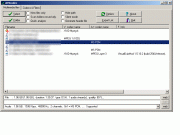
This causes the DVD creation to fail (GUI for DVDAUTHOR) when muxing the video and audio (converted to AC3 or MP2).
The REALLY weird thing is though, if I remux (with vdub) the uncompressed WAV to the original AVI video then everything is back in sync !
I do have "sync to audio" and "drop frames when behind" selected in vdub.
In an effort to solve this problem for the DVD creation, I used Audacity to stretch the audio (change tempo).
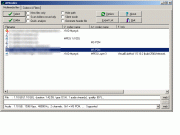
With the audio and video being the same length, the DVD is created fine. However, the audio is not in sync (it's behind the video).
I've run out of ideas of what to do... any advice would be much appreciated.
Thanks,
Steve. -
If you have the video and audio tracks running at the same length, and the sync is out by a constant amount throughout the video running time, all you need to do is determine the delay that is required to have the audio start with the video, and adjust it accordingly by either adding silence at the beginning, or trimming some of the track off.
However, just doing a stretch in Audacity is unlikely to fix your audio track.Read my blog here.
-
Originally Posted by guns1inger
i am trying step 1 since my audio is off consistanly through out the movie and its not appearing to be working for me? i dont know why and im only talking about the -+ with windows media classic it doesnt seem to work it puts a delay on it but its still out of sync? im doing this to trigun so it starts out with the music which is hard to tell if thats in sync and again i delay it but then the voices come the subtitles and the audo is out of sync
i ripped some anime using dvd decrypter and only anime do i have issues with. i need to sync up the audio so i can then sync up the subtitles. any other suggestions? thanks also the file is an .avi so i can stream it to my xbox 360 thanks again -
i dont know if this info will help someone help me.
General
Complete name : D:\vids\Trigun\1\VTS_01_PGC_01_0.avi
Format : AVI
Format/Info : Audio Video Interleave
Format profile : OpenDML
File size : 5.47 GiB
Duration : 7h 9mn
Overall bit rate : 1 823 Kbps
Writing application : VirtualDubMod 1.5.4.1 (build 2178/release)
Writing library : VirtualDubMod build 2178/release
Video
Format : MPEG-4 Visual
Format profile : Streaming Video@L1
Format settings, BVOP : Yes
Format settings, QPel : No
Format settings, GMC : No warppoints
Format settings, Matrix : Custom
Codec ID : XVID
Codec ID/Hint : XviD
Duration : 3h 41mn
Bit rate : 3 154 Kbps
Width : 720 pixels
Height : 544 pixels
Display aspect ratio : 4/3
Frame rate : 29.970 fps
Resolution : 24 bits
Colorimetry : 4:2:0
Scan type : Progressive
Bits/(Pixel*Frame) : 0.269
Stream size : 4.88 GiB (89%)
Writing library : XviD 1.2.1 (UTC 2008-12-04)
Audio
Format : AC-3
Format/Info : Audio Coding 3
Codec ID : 2000
Duration : 7h 9mn
Bit rate mode : Constant
Bit rate : 192 Kbps
Channel(s) : 2 channels
Channel positions : L R
Sampling rate : 48.0 KHz
Stream size : 590 MiB (11%)
Alignment : Split accross interleaves
Interleave, duration : 96 ms (2.88 video frames)
Interleave, preload duration : 186 ms
Language : Japanese -
-
ya ive tried in the 10s of thousands ms and is not fixing my issue. )= and i know its only to get the timing down then u use vdubmod to fix...i dont know what else to do this is driving me nuts
 Quote
Quote


Similar Threads
-
Audio out of sync after conversion
By user2008 in forum DVD RippingReplies: 5Last Post: 13th Nov 2010, 05:13 -
After conversion audio is out of sync
By videojunkie7 in forum Video ConversionReplies: 0Last Post: 23rd Nov 2009, 18:06 -
Audio Conversion out of sync
By Silsur in forum AudioReplies: 8Last Post: 13th Oct 2009, 17:45 -
Sound out of Sync in conversion
By opala in forum Video ConversionReplies: 2Last Post: 17th Apr 2009, 19:15 -
Conversion out of Sync, probably cause=FPS?
By Day44 in forum Video ConversionReplies: 2Last Post: 7th Jul 2008, 14:30