


 View Profile
 View Forum Posts
 Private Message


How to remove all commercial blocks from AVI fast
There are many software programs to allow users cutting parts of AVI.
Some of them are presented here:
https://www.videohelp.com/tools?s=108#108
My attention attracted recently released Video Splitter by Solveig Multimedia.
https://www.videohelp.com/tools?tool=SolveigMM_Video_Splitter
Though its description is fairly ordinary, authors on their site enumerate the features and one of them seemed me fairly promising.
It sounds as:
- Allows multiple fragment processing in single pass
Let us check this software. First of all it’s gratifying to note that its size is only 1.9 MB.
Download, install, start it and open DivX 5.0 AVI file. The program has
a quite pretty graphics user interface.
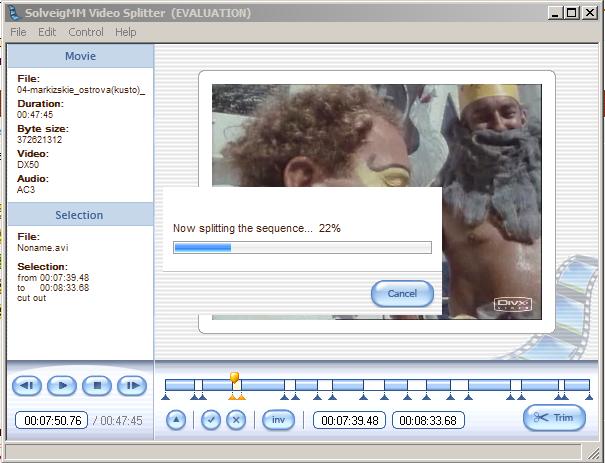
Video Splitter has useful navigation controls. Most helpful of them are Next and Previous K Frame buttons to move both markers and slider to K Frames.
Assume my AVI file contains 10 commercial blocks I want to be removed.
I just point out each of them by start and stop markers (Set new marker : Ctrl + M) and set them to be removed by "Select fragment: Ctrl + S" and push "Trim" button.
After that appears progress bar and in 1 minute!!! we get result AVI file free from all commecrials.
+ Reply to Thread
Results 1 to 20 of 20
-
-
That may be very good, but if you are using editing commercials in MPEG, I recomemend using MPEG Video Wizard. It searchs for when the video fades to black, which generally indicates a commercial break. Then it provides lossless splicing.
-
Also VirtualDub is a good tool to use for trimming and appending AVI's.Just use "Direct stream copy" and it processes just as fast for FREE.
 ~Luke~
 -
~Luke~
-
Sure VirtualDub is a great software and it's freeware.Originally Posted by laspis59
But it is a bit cumbersome and has terrible number of settings

And it doesn't allow cutting of many parts simultaneously, isn't it?
-
I dont understand?Originally Posted by Josef Kneht
You can cut out as many parts as you want in one go using mark in and mark out,delete. ~Luke~
 -
You dont have to know what most of the settings do,leave them as default.Just cut out all the junk you dont want,then click Video>Direct stream copy.Originally Posted by Josef Kneht
Save as an AVI.
Edit: And make sure the audio is set to Direct stream copy also. ~Luke~
 -
Wait till you try Virtualdubmod and AVISynth ...... totally free and 0 seconds "rendering" time to action your cuts !Originally Posted by Josef KnehtIf in doubt, Google it.
-
Ok, thanks. I know about direct stream copy but after VDub, AVI with VBR audio is often out of syncOriginally Posted by laspis59

-
What about the audio problem that virtualdub has when the video is using a variable audio bitrate.
Can ... Solveig Multimedia Video Splitter ... handle variable audio bitrates?? -
Last post I wrote:Originally Posted by lacywest
and I meant that Video Splitter has not such a problem.Ok, thanks. I know about direct stream copy but after VDub, AVI with VBR audio is often out of sync
Moreover on the program homepage :
http://www.solveigmm.com/?Products&id=VideoSplitter
there is features enumerating:
Based on SolveigMM AVI Trimmer Component (COM object)
Supports any AVI file format (DV type 1 and 2, OpenDML) with any video (DivX, XviD, 3ivX, etc.) and audio (MPEG-1, MPEG-2 layer 3, AC3, etc.) content.
Supports large AVI files (more than 2GB)
Allows trimming AVI files contained VBR audio without synchronization loss
Advanced K frame navigation
K frame accuracy
WYSIWYG preview
Allows multiple fragment processing in single pass
Well, I had not any sync troubles with AVI containing VBR audio in contrast to Vdub
-
Here what I accidentally found in VDub blog:Originally Posted by lacywest
http://www.virtualdub.org/blog/pivot/entry.php?id=67
I have found that when processing video using Direct Stream Copy with a DivX file with MP3 sound,when playing back in Media Player Classic and seeking to different parts,the sound pops for a split second.It also crackles constantly when using fast forward and slow motion.
I tested processing the same file with SolveigMM Video Splitter and the artifacts are not there.BTW the sound is fine when processing in DSC with PCM and AC3 ect…
Strange!my AVI Trimming guide
https://www.videohelp.com/forum/viewtopic.php?t=283241 -
How to improve AVI out of sync
We too often deal with AVI files where a sound is not synchronized with video. Also there are cases when we play AVI files and after positioning, audio only starts after a few seconds.
Though the reasons of firts and second poins are quite different one can improve both first and second troubles by right remultiplexing.
Such remultiplexing feature has SolveigMM Video Splitter that allows an user to perform it in three simple steps: 1.open file, 2. specify an output file name, 3. start process.
1. Open file

2. Specify an output file name

3. Push "Trim" button.
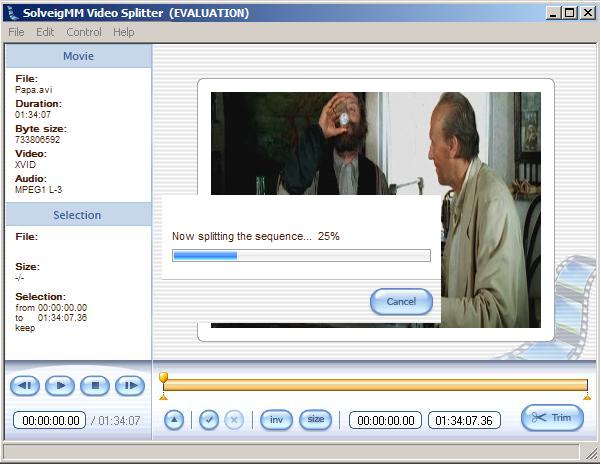
Aslo with this tool you can Remultiplex AVI to ASF; save separately (demultiplex) Audio or Video from AVI, WMV or ASF files.
 my AVI Trimming guide
https://www.videohelp.com/forum/viewtopic.php?t=283241 -
I find VDubMod much easier to use.
With VDubMod, if you hold down the shift key while pressing the forward or backward arrow keys, you can very quickly scan through your video (i.e., from keyframe to keyframe) and find the points where you want to set your mark in and mark out points.
I could find no such functionality in Solveig. With Solveig, when you drag the slider along the timeline, your frame picture only updates when you let go of the mouse button....in other words, you can't dynamically scrub across the timeline as you can with VDubMod. This was so irritating that I didn't even bother searching to see if you can make Solveig snap to keyframes (another feature that any decent AVI editor must have). -
Go get 'em, LisaB. Why is this person being allowed to spam promote his commercial product here? At Doom9 this would have been nipped in the bud.
-
Hi, I'm a bit new to this whole video editing stuff, hopeing someone can help. I essentially want to cut out some commercials from a basketball game I recorded (perferably all in one go) it's in avi format, for the life of me, I can't seem to cut out the commercials, it seems I can cut out almost everything but the commercials! I've tried both Solveig and VDubMod and just can't get it done.. does anyone know where there is a step by step explanation of how I can delete commercials? I've tried the above steps for solveig but didn't work the way I expected it to?
Please help! -
Well I just tried this program, and it works great!
Only draw back is that it ONLY jumps by KEYFRAMES, so its not perfect all the time.
I have sections where it jumps by 7 second frames, so i cannot cut out the commercials perfectly, if anyone knows how to navigate by individual frames, then this would be an ideal program.________________________________
AMD Athlon XP 2500+
512 meg of PC 3200 DDR400
ATI Radeon 9600 XT
LG cd-rw/dvd combo drive
LG DVD-RAM/CD-RW combo drive
Windows XP Professional -
Hi Syndrome,
In the recent version 1.2.7.18 you can switch off Key Frame Positioning both from slider cursor and markers.
Menu->Control->Slider K Frame Positioning
Menu->Control->Markers K Frame Positioning

By default both of check boxes are in set state. This is necessary to ensure you will get what you see, since SolveigMM Video Splitter accuracy is K one.
For morу details see SolveigMM Video Splitter User Guide:
http://solveigmm.com/files/USG_Video_Splitter.pdf -
Well thats all good and dandy, however the video still SPLITS only at the keyframes! I have a video here that goes 9 seconds without a keyframe, and i need to split it at the 4 second mark! Is there any way to tell it to INSERT a keyframe, so I can cut the movie exactly where I want it to?Originally Posted by DmitryV________________________________
AMD Athlon XP 2500+
512 meg of PC 3200 DDR400
ATI Radeon 9600 XT
LG cd-rw/dvd combo drive
LG DVD-RAM/CD-RW combo drive
Windows XP Professional -
Hello Syndrome,Well thats all good and dandy, however the video still SPLITS only at the keyframes! I have a video here that goes 9 seconds without a keyframe, and i need to split it at the 4 second mark! Is there any way to tell it to INSERT a keyframe, so I can cut the movie exactly where I want it to?
Unfortunately for the present the answer is No..
We have this feature (frame accuracy trimming) in our schedule and it will necessarily be implemented.
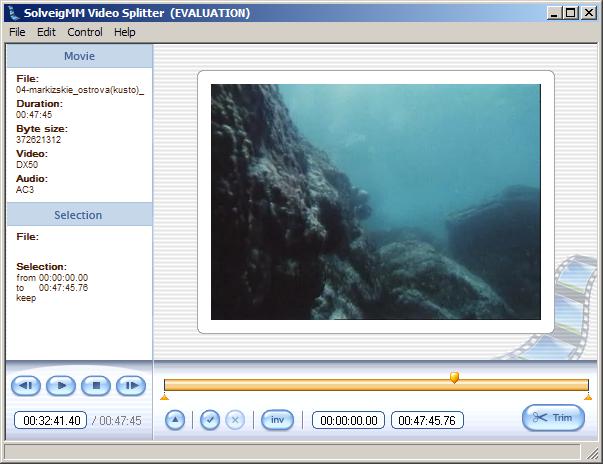
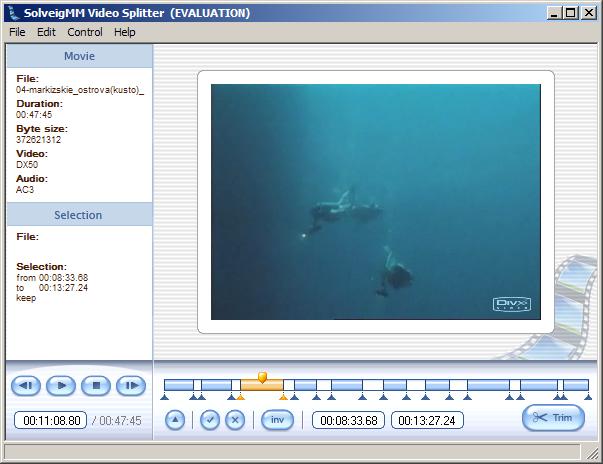
Nevertheless, the end of a fragment to be kept (or the begin of a fragment to be deleted ) can be set in frame accuracy mode and the Splitter must process it.

 Quote
Quote Visit Homepage


Similar Threads
-
Remove Copy Protection Software/Encryption from Commercial DVDS
By dogojoel in forum Newbie / General discussionsReplies: 2Last Post: 14th Jun 2010, 21:54 -
How to Fast Forward an AVI Watching it on TV?
By gonwk in forum Newbie / General discussionsReplies: 7Last Post: 27th Jul 2009, 11:10 -
Remove subtitles from .avi
By Comrie19 in forum Video ConversionReplies: 4Last Post: 11th Jul 2009, 18:38 -
avisub blocks when I load .avi file
By ebergi in forum SubtitleReplies: 2Last Post: 23rd Jun 2008, 16:50 -
Editing a Commercial DVD to remove a swear word...
By Mattman974 in forum Newbie / General discussionsReplies: 8Last Post: 23rd Aug 2007, 13:42