


 View Profile
 View Forum Posts

Thanks for the reply.
+ Reply to Thread
Results 151 to 180 of 204
-
If you do not learn from someone's knowledge and experience, then you are doing it the hard way
-
gshelly61,
I notice you have a dual Sign Video process amplifer. Do you have two complete capturing setups with the dual process amplifier common to both or is there another reason for the dual? -
I set mine up to run composite sources through one of them (laserdisc, for example), the other one I run s-video sources through. It's nice having two of them on hand. I can also use them to check luma and black level output of different gear that I check out.
-
Just wondering if there are any good TBC's in the $100 range?
-
gshelly61,
Thanks for the info about the set up with the dual process amp. You mentioned that you tested a Knox K700 and perhaps a JVC. What was your experience with those. I am a bit curious because a local surplus dealer here has a K700. -
The Knox is a decent proc amp, composite BNC only. It's an old vintage piece. Older than the Vidicraft stuff, probably.
-
Sometimes you can get a deal on eBay. Look for a recent, single rack space, full frame TBC with frame synchronizer and s-video input and output.Originally Posted by compuser
I.DEN IVT-7 is one that comes to mind. Feral A4:2:2 is another one to look for. Prime Image TBC+ (and some of the other Prime Image units, too). Hotronic and DPS also make some very nice units, but these usually sell for way more than $100.
Avoid the older, big and heavy units that are composite BNC only. -
My DataVideo TBC doesn't have a passthrough option and that's a nuisance. Is that common for a TBC not to have passthrough?
-
Video Restorer

- Jun 2003
- dFAQ.us/lordsmurf


Yes. Unplug and bypass.Originally Posted by syncWant my help? Ask here! (not via PM!)
FAQs: Best Blank Discs • Best TBCs • Best VCRs for capture • Restore VHS -
I had not considered using process amplifiers and detailers until recently. Many of these items were simply too much money for the few tapes I have requiring this kind of equipment. Gshelly61's comments about used equipment lead me to look at a few such items including Vidicraft, Knox, etc.
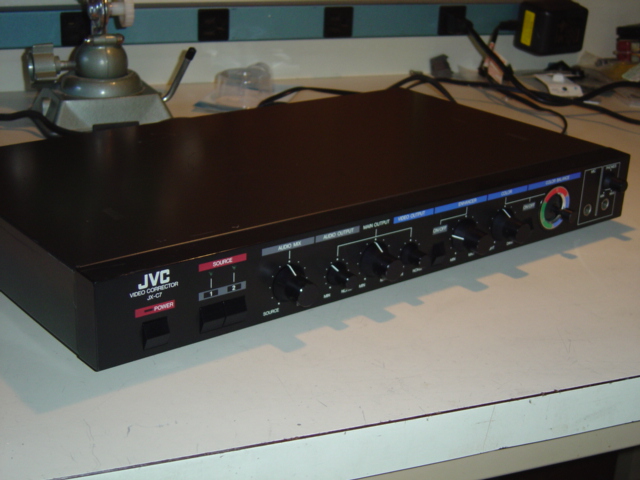
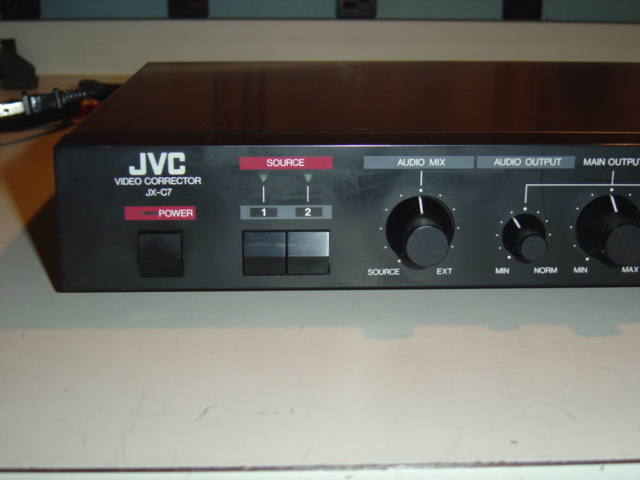
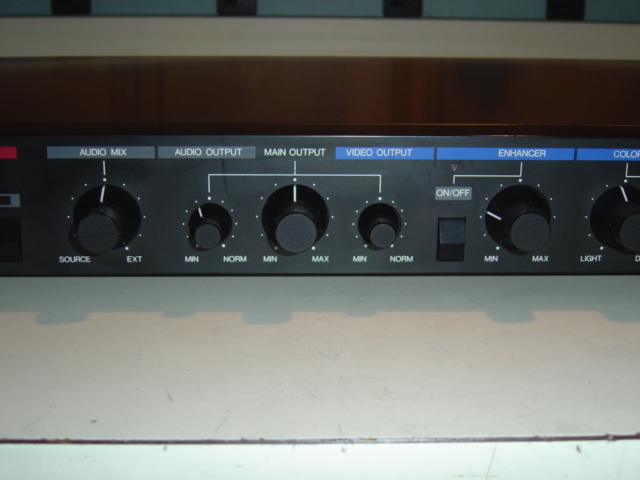
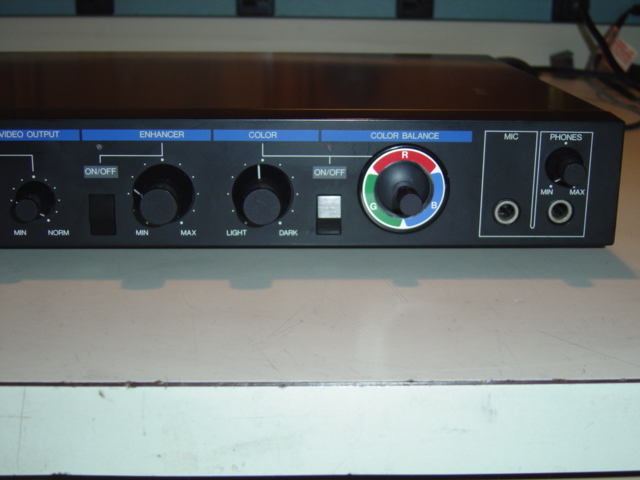
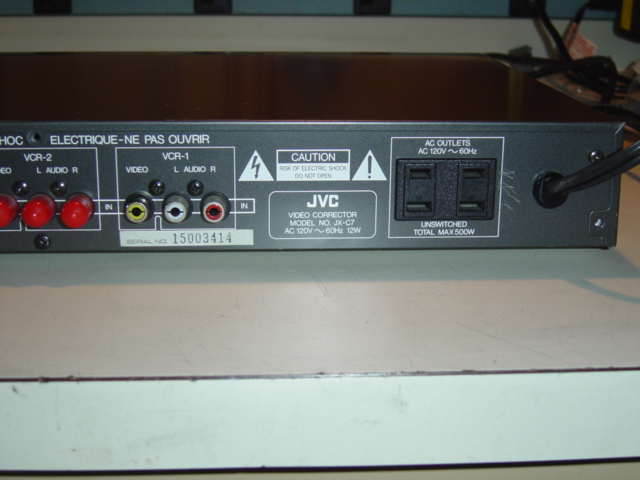
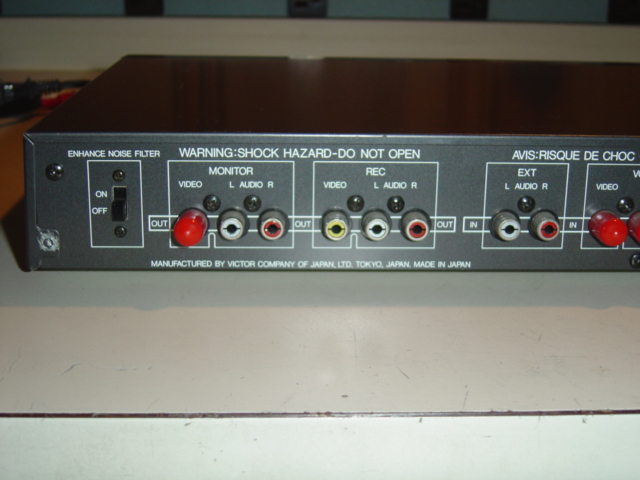
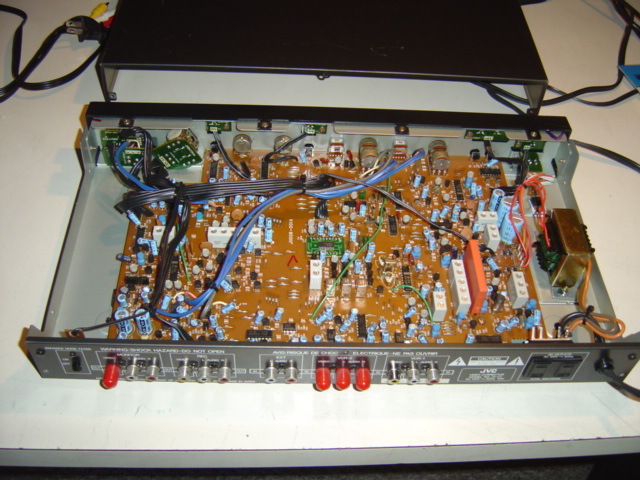
I did end up with a JVC JX-C7 which is a enhancer (detailer)/color corrector with audio mixing thown in. It accepts composite input/output only. No manual came with it. The following are tests done on this unit. First some photos,
-
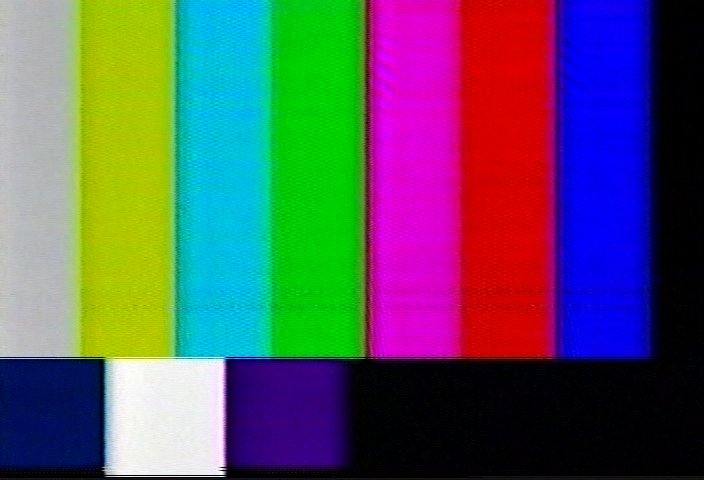
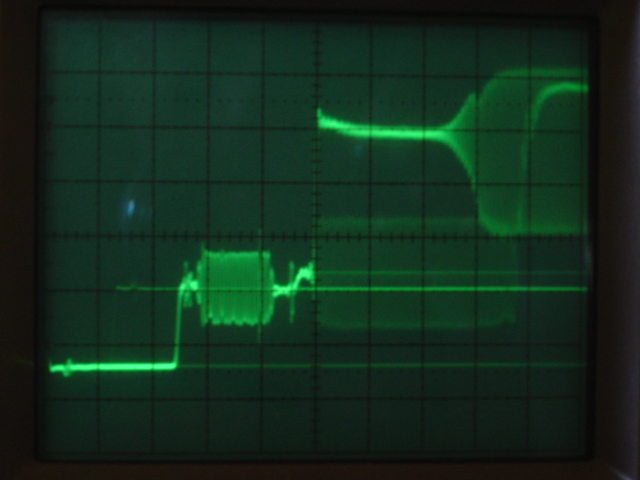
The JX-C7 does not have a bypass mode. The enhancer and color corrector can be switched off with pushbuttons. The front panel has a "main output" and "video output" control. The main output control has a detente position at 12 o' clock and the video output has a "norm" position fully clockwise. The unit was set up under these conditions. The input composite signal from a Sony dvd player was measured on a Tektronix oscilloscope and the output from the JX-C7 with the same settings. The image being played back in all cases was a standard color bar pattern with the first bar being white.
Color bar pattern copied to a dvd-rw from a vhs tape.
Sony dvd player output. Each horizontal division is 2 usec. The first 2.5 divisions are the horizontal sync pulse. The color burst signal is just to the left of the center of the screen. Just to the right of the color burst is the little step up for IRE 7.5 in the NTSC signal. Zero volts is the center horizontal line with each vertical division 0.2V. Sony specs. 1Vpp into a 75 ohm load. I did not have a 75 ohm load so I used a 50 ohm load causing the output to be slightly lower.
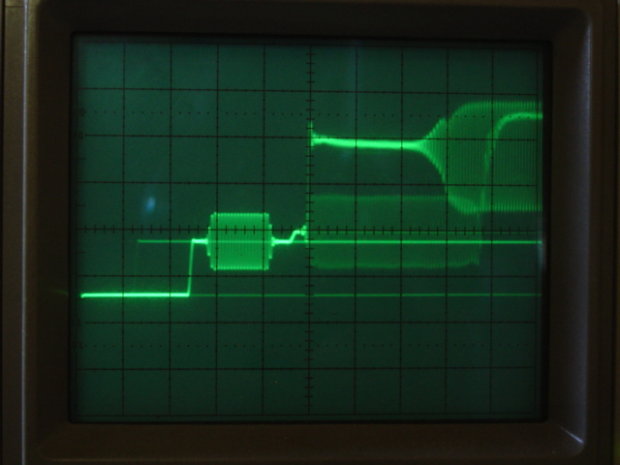
JX-C7 output. The output is slightly larger in amplitude with a negative DC shift. This might be adjustable. The picture of the inside shows quite a few adjustments are possiible.
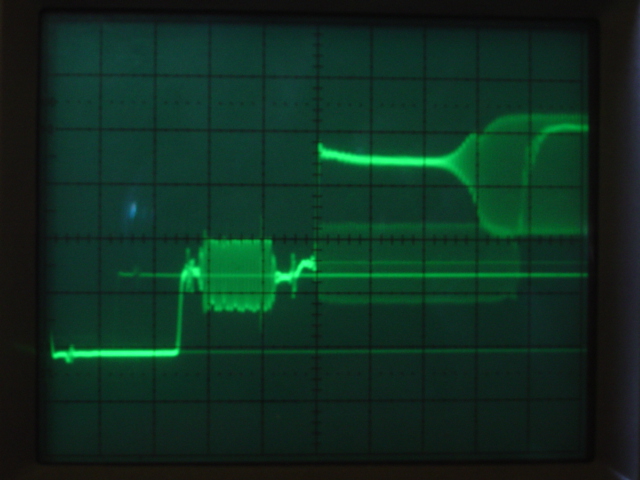
JX-C7 output. The "video output" control is rotated completely counterclockwise to the "min" position. It seems it can reduce the output down past IRE 7.5 to IRE 0. The size of the sync pulse shrinks as well.
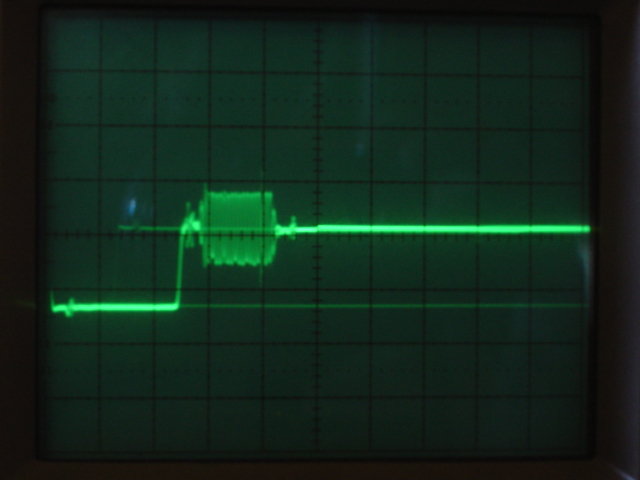
JX-C7 output. The "video output" control is set to "norm" and the "main output" control rotated fully counterclockwise to "min". Similar in effect to the "min" position of the "video output" control.
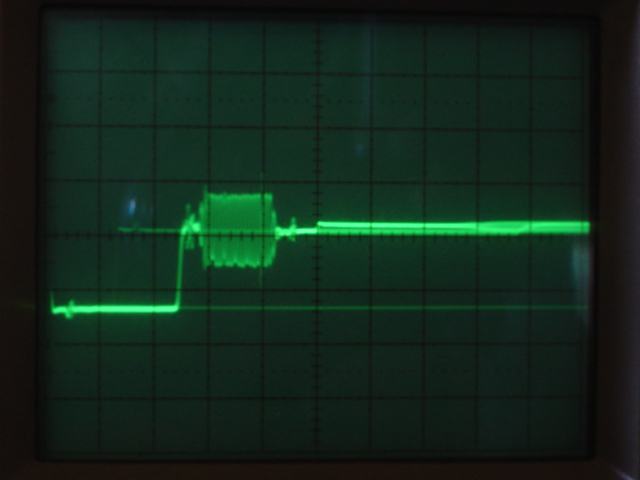
JX-C7 output. The "video output" control is set to "norm" and the "main output" control rotated fully counterclockwise to "max".
Three controls, the "audio mix", "main output", and "color" controls have detentes at the 12 o' clock position. The color controls have an on/off switch. The "color" control and joystick seem to work as this color space diagram shows. The joystick adjusts hue and saturation. The "color" control varies the intensity but the range between "light" and "dark" is limited to the area around the middle of the color space diagram.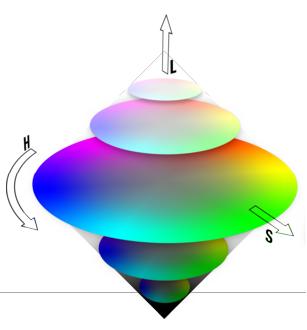
These are tests of the enhancer and color correction. This is the original image.

With correction applied,
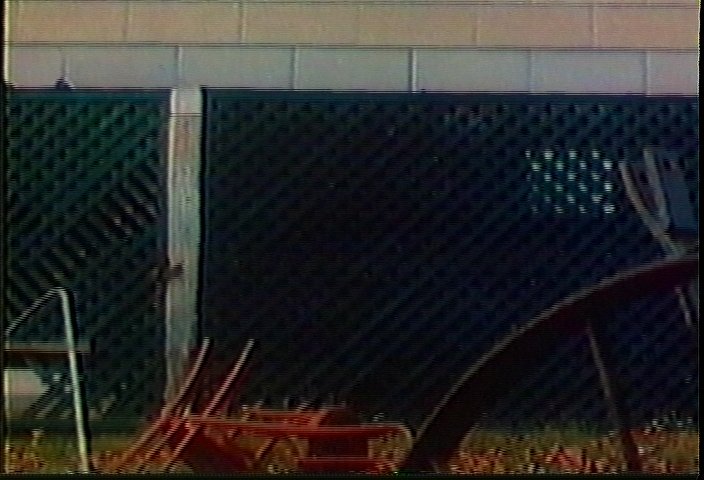
With correction and the enhancer turned up 30%,
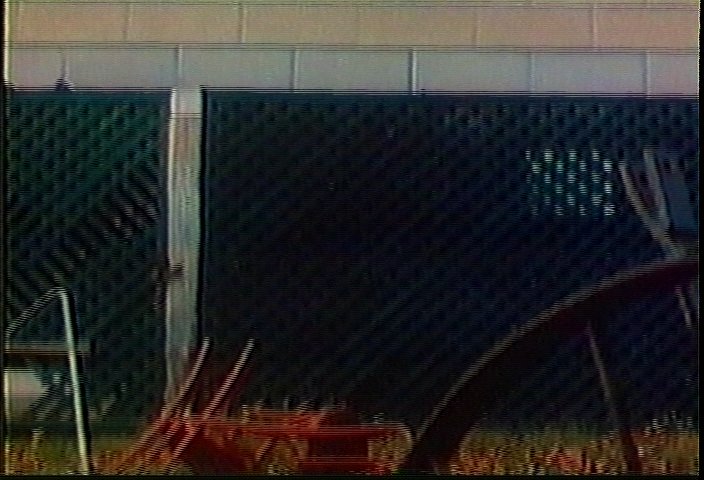
The back panel has a switch for a noise filter. This filter works even with the enhancer off. Here is a corrected image with the enhancer off, NF on,
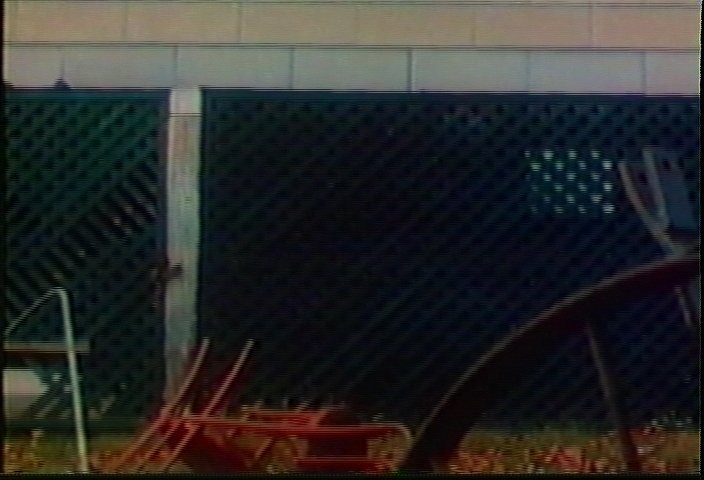
The noise filter seems to limit the effect of the enhancer when it is on. Here is a corrected image with the enhancer turned up to 70% without the noise filter,
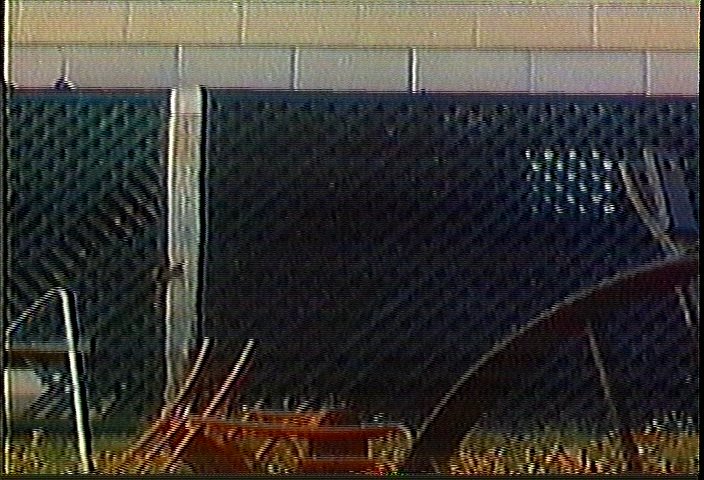
The same image with the noise filter on,
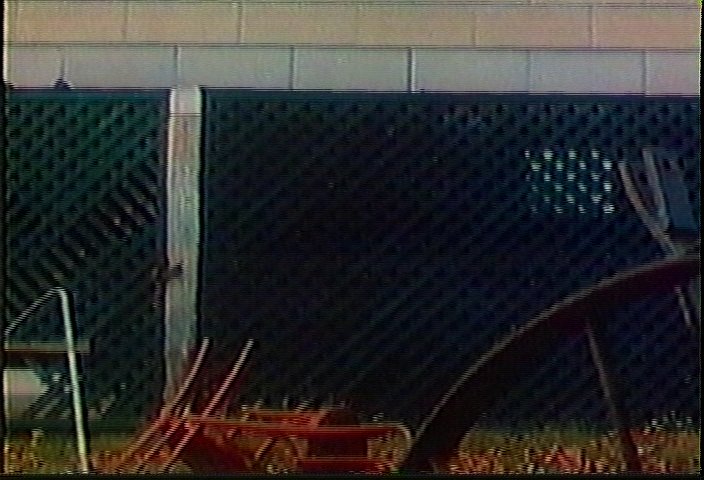
These units are available for anywhere from $10 to $30. I tried to find a manufacture date but none could be found. I believe they date from the earlier 1990's. -
Also picked up this Vidicraft detailer model DET-300. The front panel is an aluminum extrusion. The blue finish might be anodizing. None of the front panel controls have any detente positions.
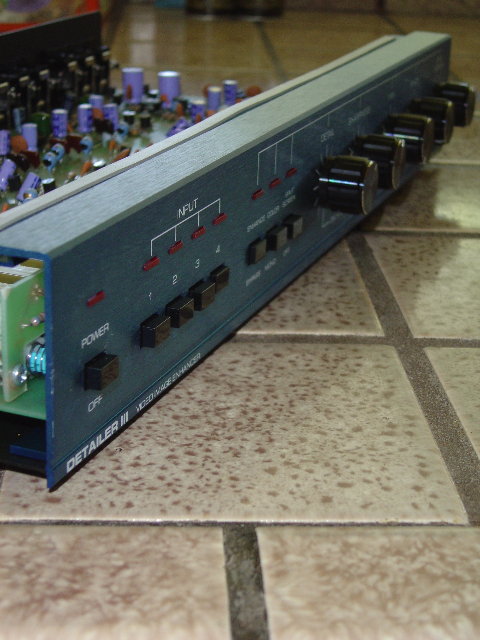
The gray stick on strip running the length of the extruded front panel is non-conductive. It must be to prevent rattling between the metal top cover and the extrusion.
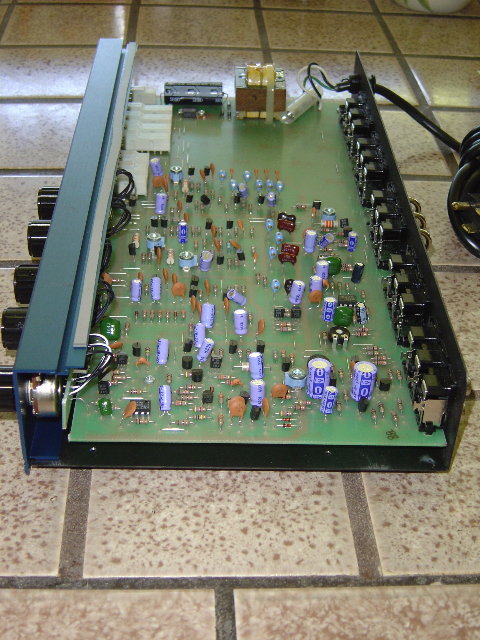
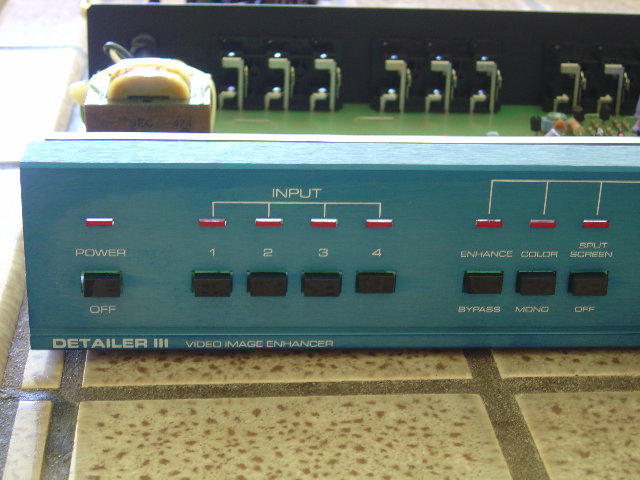
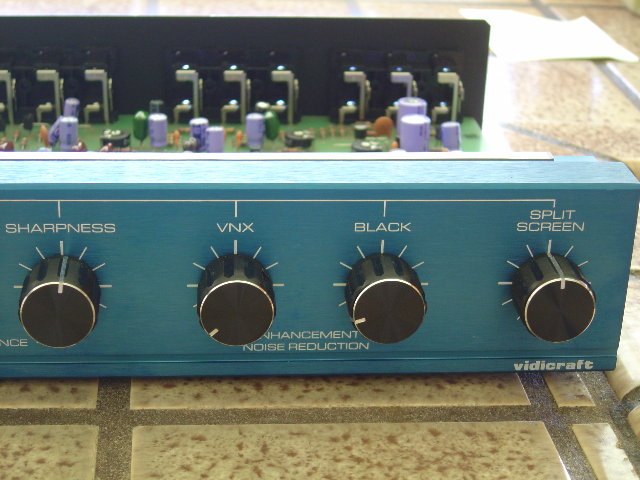
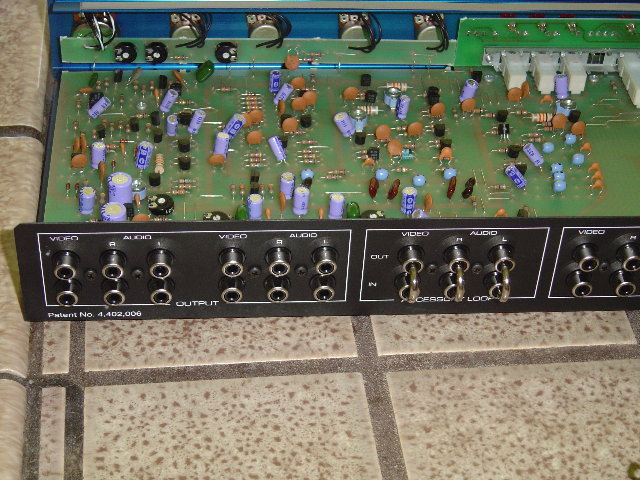
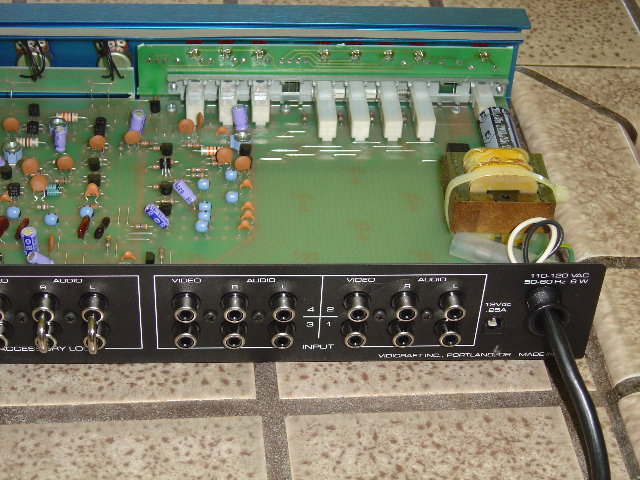
The JVC JX-C7 and DET-300 were about $70 for both. Tests coming. -
The Vidicraft DET-300 Detailer III is a great vintage unit for enhancing composite video sources. Very powerful sharpener/detailer. The VNX and Black noise reduction only affects enhancement noise. Outstanding video image quality. I still have one on hand for laserdisc transfers to DVD. Depending on the source image quality, I usually set the Detail from about 1/6 to 1/4, and the Sharpening from about 1/4 to 1/2. I generally leave the enhancement noise reduction off because my JVC DVD recorder does a very nice job of reducing grain and other video noise.
-
Thank you for the tips regarding the DET-300. It must have taken much time and effort for you to acquire and test all this equipment. I am sure there many of us who want to say we appreciate it.
Here are some results from testing the DET-300. I used the ICE AGE dvd disk and copied to a VHS tape one of the test patterns. Then I used the DET-300 to try to bring back some of the lost detail.
Here is the dvd test pattern from the ICE AGE disk. This image is resized to 640 x 480. The rest are 704 x 480.
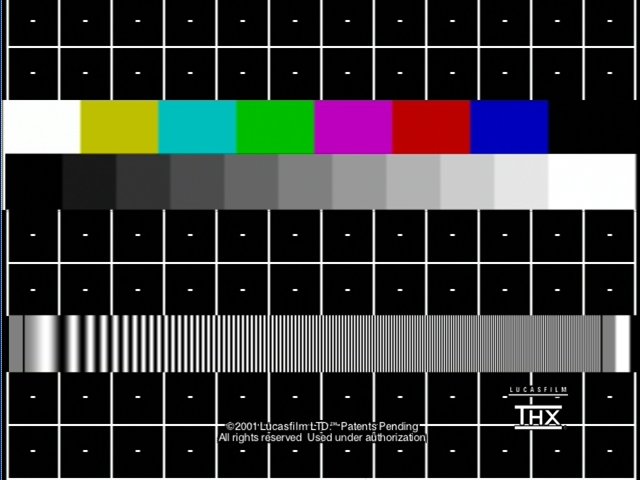
The VHS copy.
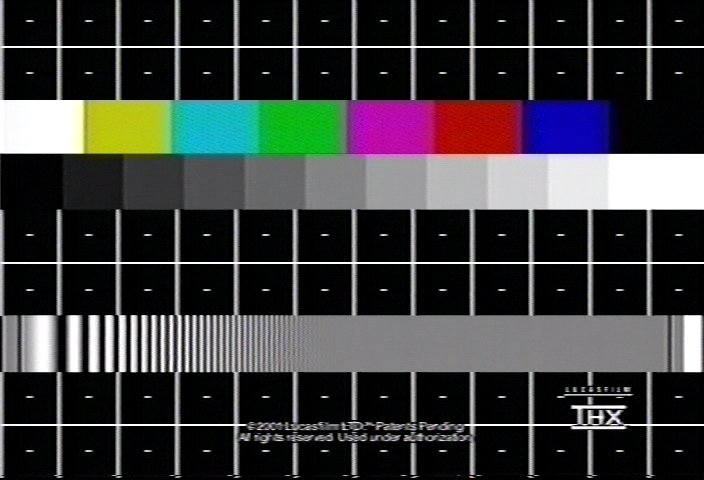
All control settings are referenced to the most counterclockwise postion.
Detail control at 1.5
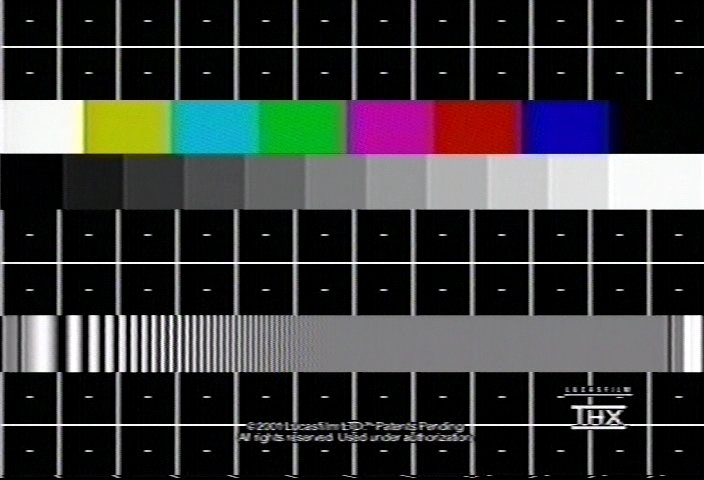
Detail control at 4.0. Parallel lines to the vertical white lines start to appear to the right of each line.
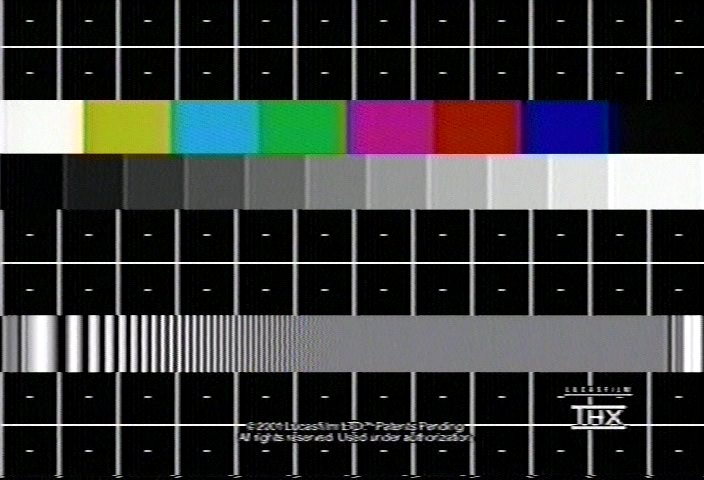
Detail control at 1.5, Sharpness at 2. Notice the effect on the colors.
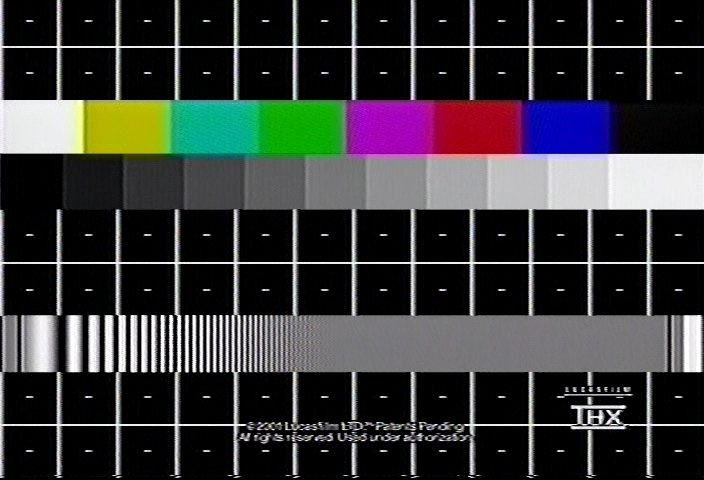
Detail control at 1.5, Sharpness at 4 is too much.
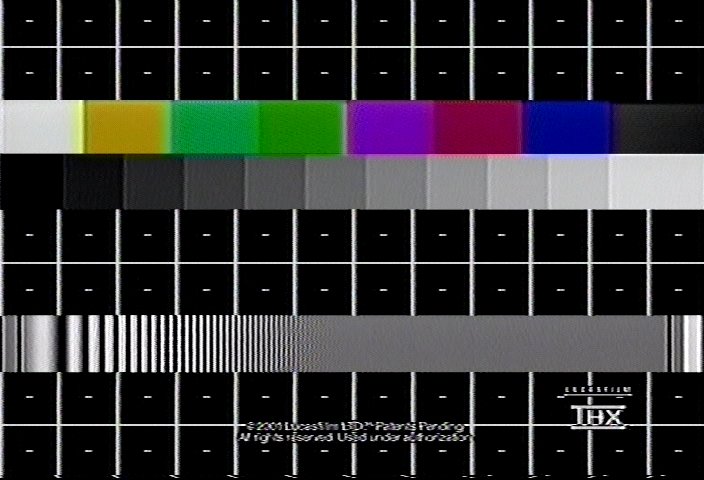
Here is an idea of the effect of the VNX control. Detail control at 1.5, Sharpness at 2. VNX at 5, Black at min.
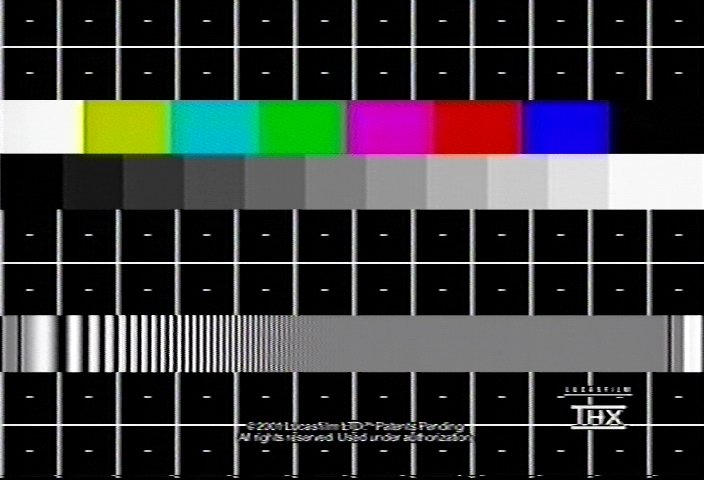
Here is an idea of the effect of the Black control. Detail control at 1.5, Sharpness at 2. VNX at min, Black at 5.
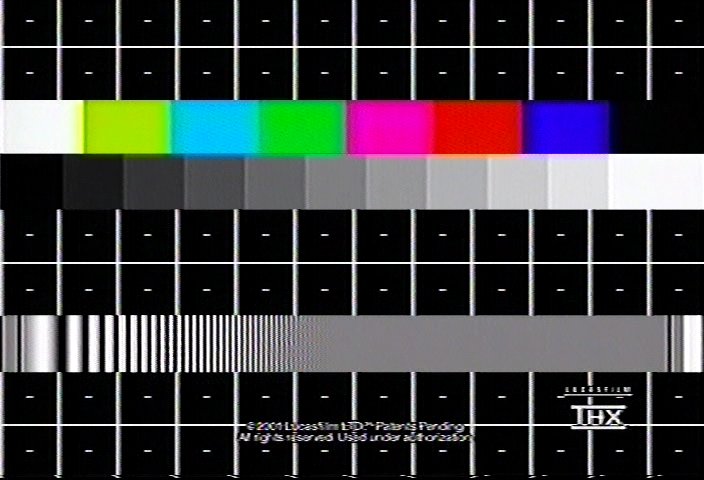
I compared these results to the JVC JX-C7 enhancer function. The whites in the output look darker compared to the original dvd. A service manual for it is on the way. I will wait until it is calibrated before any conclusions are drawn. The DET-300 was in bypass mode for these tests.
Enhancer set at 2. The enhancer seems to have the same effect as the Vidicraft Detail control.
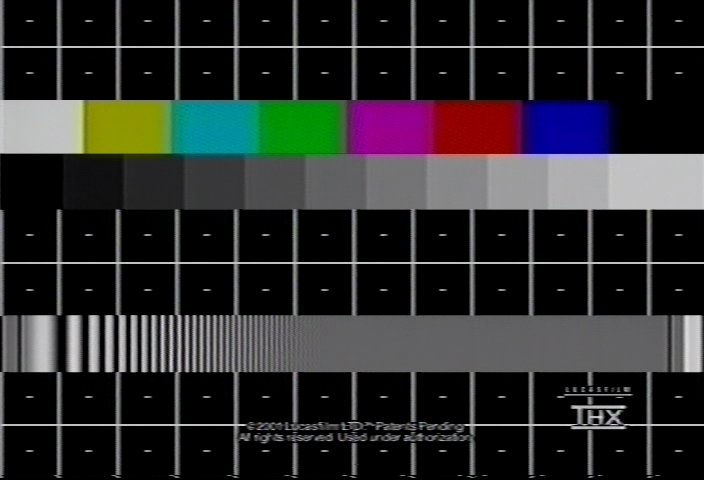
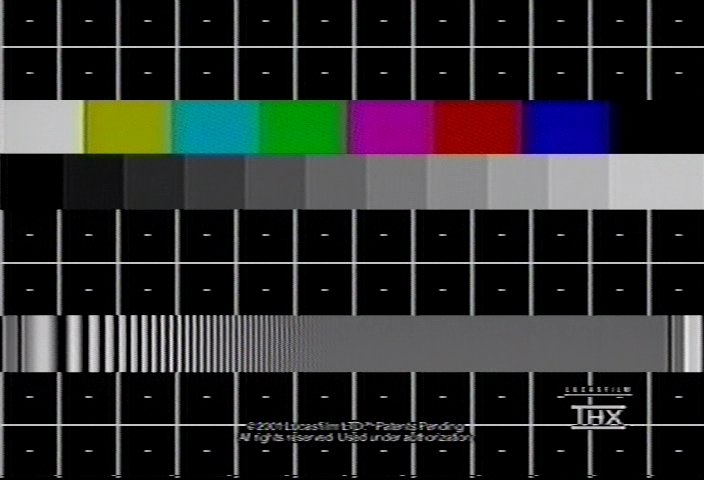
Enhancer set at 4. Parallel lines to the right of the vertical lines just start to appear.
-
Does anyone know the calibration on the THX luminance frequency sweep? I can't find it on their site. Normal charts show frequency markers.
I've made an estimate here based on DVD luminance resolution around 6.0MHz (6.75MHz Nyquist). The horizontal red lines indicate the possible range of frequencies.
VHS bandpass filters roll off lumiance below 3MHz. The cheaper the filter, the lower the rolloff begins. This is indicated here by the horizontal purple line.
Once the upper frequencies disappear on the sweep chart, you can assume anything showing up there after filtering is noise generated by the filter.
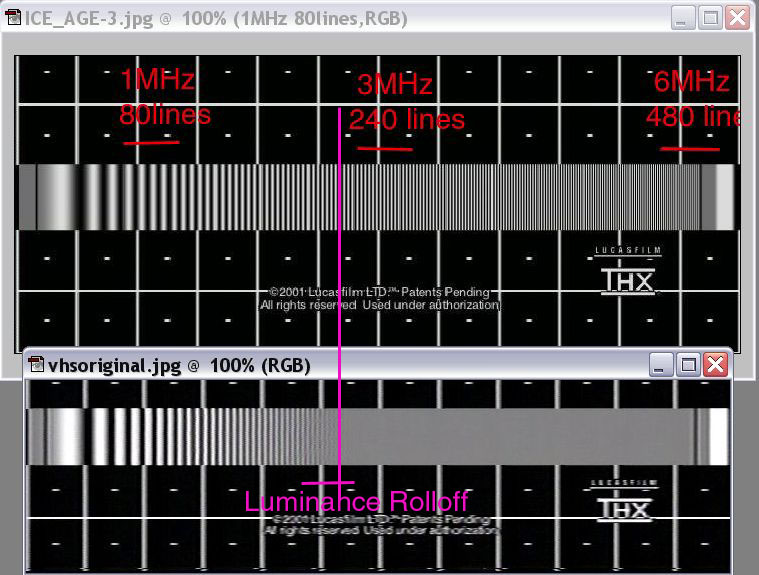
PS the horizontal "lines" shown are the lines of perceived resolution, a psychological measurement. The approximate correlation with pixel rasters is:
240 lines ~= 320-352x480/576
480 lines ~= 640-720x480/576 -
I hope I did not throw off your analysis. I realized that the ICE_AGE-3.jpg was a capture using Sonic Cineplayer and not VirtualDubMod. Cineplayer does not do well with reproducing screen captures so I have uploaded a replacement.
-
No problem, the input chart is assumed full resolution for my analysis. I can still see lines at the top of the sweep in your chart and certainly on a DVD THX playback.Originally Posted by trhouse
The issue is where the VHS deck rolls off luminance and the effects of subsequent filtering. -
I had not thought of it before but that is an easy way to get an idea of the vcr filter characteristic without any equipment other than a recorder, vcr, and the test pattern.
I first noticed the vcr filter effect in the scope image of the color bar pattern in the JX-C7 test. The rise time from the 75% white first bar to the yellow bar shows a significant time constant. -
I just saw your most recent post. I'll try to read the history later this evening here.
-
The service manual for the JVC JX-C7 arrived today. It is interesting to see how a color corrector works. It passes the composite signal through a comb filter, a color demodulator, a matrix which provides R, G, an B signals. The color balance controls work on the RGB signal, another matrix, and an encoder back to a composite output.
There are a substantial number of internal controls including,
R level, G level, B level, chroma level
black clip, white clip, burst level, burst set, burst phase
black set ( this looks like IRE 7.5 adjustment ), H. BLK ( horizontal blanking)
V. BLK, sync level, comp. level, Y gain, sync cut, R-Y level, R-Y phase
G/Y level, R/Y level, hue, color, 50 usec set, 3 usec set, COM bal, phase coil
enh bal, fader bal, enh level
It is going to take some time to sort through all this. -
Very interesting and helpful topic.
I recently picked up a Vidicraft IV (DET-400) and have only begun experimenting with it. I was wondering if anyone could pass along any insight regarding this model? -
Where did you order it from? The one place I could find it quoted me almost $40, which is more than I paid for the unit!Originally Posted by trhouse
-
I ordered it from www.servicemanuals.net. Manual was $15.99 plus $4.00 shipping. The manual is a copy, not an original.
They are located in Denville, NJ. The phone number is (973) 627-8600
[edit] http://www.servicemanuals.net/(mvxf05bhgmp2avmqryvni245)/Default.aspx -
The service manual can be also be found at http://www.icxinyi.com/EN/
. It cost $10.00 for a direct download. -
Well, Last night I dragged out my old (80's?) Arecher video procesor to see if it could help.
The Tape I was coming from had several problems. The people were more or less orange not flesh colored. The image was very dark. And the colors were much to intense. Not to mention not very sharp.
The Archer (Radio Shack) was able to fix the first three. My Detailer II could help with the sharpness... So you would think I'd be set?
Well theres a hum bar whenever I use the detailer II that slowly rolls up the screen. I'll be trying a external power supply with it to see if that helps...
I looked aroiund here at work and found two 12V DC Supplys, 1 is a 1 amp for an Ipod the other way bigger is a 200watt Computer AT Power supply that I know has enough power but the Ipod PS is much smaller. So if anybody has the manual that might show current draw? I am also assuming it is a 12V supply because it has a plug on the back marked 12V. OK, I just got home and it is marker on the back 12V .15 amps so either will work.
However I'm thinking they are composite only, no S-Video.
Finally my question is there a decent product to fix colors and sharpen that is reasonably priced that has S-Video connectors? I looked at the signvideo but the price, Whew!!, The Ace looked nice but once again the price!
Any suggestions?
Thanks -
I don't know if this has been asked before but would one of these older units (with Y/C S-Video) be as good as a new TBC-1000 or AVT-8710? Has the technology changed or are the new ones basically the same but smaller?Originally Posted by gshelley61
-
Video Restorer
- Jun 2003
- dFAQ.us/lordsmurf
-
New ones are new tech.
Want my help? Ask here! (not via PM!)
FAQs: Best Blank Discs • Best TBCs • Best VCRs for capture • Restore VHS -
My VCR does not have a S video connection. It only has RCA and RF connections. Will I be able to connect my VCR to a video enhancer. Thanks
-
Yes. Most video correctors/enhancers work with RCA ( composite ). Older units use BNC connectors to connect to composite requiring BNC male to RCA adapters which are typically a few dollars each. Far fewer units are capable of S-video.
-
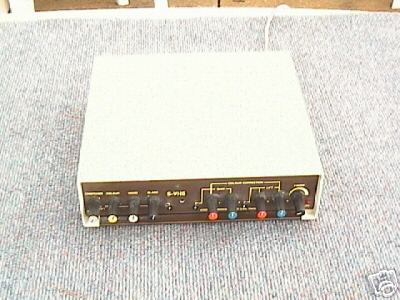
Has anybody ever used one of these? This is the description (from eBay, i'm not selling it
 ) -
) -
Sound Image (Coombe Products, Hampshire) "Ultimate Video Processor/Colour Corrector" PAL (united kingdom) television system. Bought by myself new at over £300.00 and now surplus . For compensating for badly coloured or exposed camerawork. Allows video correction of Colour, Contrast (Video) and Brightness (Black) and Red/Blue balance (and by deduction) Green, and fade to black of an analogue Video Signal. It also tidies up the sync pulses, (stabalizes the image) depending on the quality of the source material. Can be used in line with an analogue camera, or a digital camera with an analogue output (most have) into another analogue input such as a Video Recorder or Video Capture Card. Ideal for home assembly work, also an alternative to having your computer render for hours to do colour correction. This unit also does composite - S-VHS -- SVHS - composite conversion. Tested OK today 3rd September on composite signal.
 He's a liar and a murderer, and I say that with all due respect.
 Quote
Quote
 Visit Homepage


Similar Threads
-
Basic advice on codecs/filters/hardware combinations
By mrg155 in forum Newbie / General discussionsReplies: 5Last Post: 19th Dec 2011, 10:37 -
[Avisynth] What are the filters used in this video?
By Cloudstrifeff7 in forum Newbie / General discussionsReplies: 4Last Post: 22nd Apr 2010, 09:40 -
Recommended Chain for Hardware processors
By mbself in forum RestorationReplies: 6Last Post: 30th Jan 2009, 20:38 -
Hardware video filters
By miggeth in forum Newbie / General discussionsReplies: 3Last Post: 20th Dec 2008, 09:43 -
[Solved] Question about MPlayer filters in FFDShow and Mencoder filters
By BlooderButcher in forum Video ConversionReplies: 4Last Post: 24th Nov 2008, 11:32